Network stress testing helps IT professionals and gamers identify the maximum capacity of their infrastructure against traffic surges. This article reviews tools such as SolarWinds WAN Killer, TRex Cisco, iPerf3, Ostinato, and hping3 for simulating DDoS attacks, analyzing bottlenecks, and measuring jitter and latency.
Network traffic spikes can happen anytime—from a DDoS attack, a viral marketing campaign, or a new game release drawing thousands of players. If your infrastructure isn’t ready, you’ll face performance degradation, service outages, and financial losses. That’s why proactive stress testing is essential. By knowing your network’s limits, you can redesign topology, upgrade hardware, or tweak security settings before a real incident occurs. This article covers five widely used network load testing tools that professionals, engineers, and gamers rely on to ensure system reliability.
1. SolarWinds WAN Killer Network Traffic Generator
SolarWinds WAN Killer is part of the SolarWinds Engineer’s Toolset, designed to generate controlled network traffic. It lets you send packets with adjustable size, port, and protocol, simulating conditions like DDoS attacks or user surges. You can set bandwidth percentages, choose TCP or UDP, and define target IP addresses. Its main strength is creating realistic traffic with granular controls, so you can observe how routers, firewalls, or switches react under pressure. The tool also supports echo protocol, enabling two-way testing by having targets respond. This helps pinpoint bottlenecks before they affect production. Although it’s a paid solution, SolarWinds offers a free trial for small-scale evaluations.
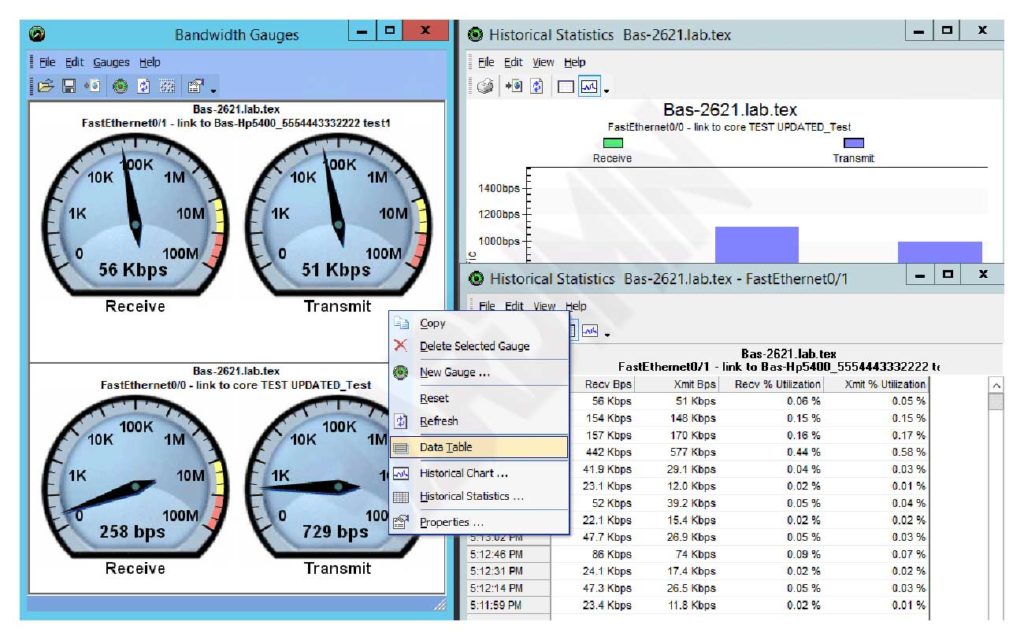
With WAN Killer, you can test infrastructure resilience against traffic spikes without waiting for a real attack.
2. TRex – Cisco
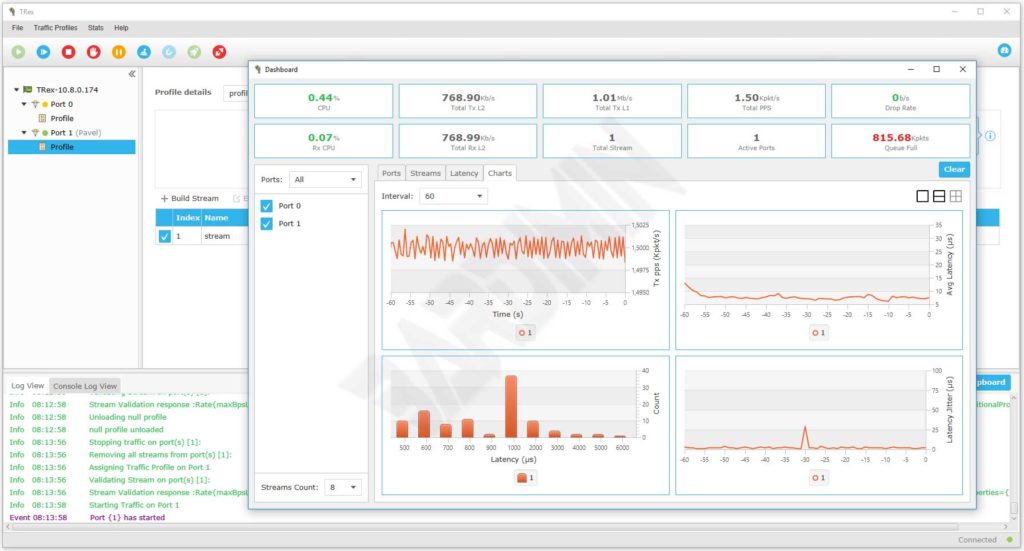
TRex is an open-source traffic generator from Cisco capable of scaling up to 200 Gbps on a single server. It combines stateful and stateless approaches, making it ideal for testing NAT, firewalls, IPS, load balancers, and network caches. In stateless mode, you can create multiple flows, modify any packet field, and monitor per‑flow statistics, latency, and jitter. The stateful mode replicates L7 traffic with high‑scale TCP/UDP support. TRex also emulates client‑side protocols like ARP, IPv6, ND, MLD, IGMP, ICMP, DOT1X, DHCPv4, DHCPv6, and DNS, allowing you to simulate thousands of virtual clients. However, it lacks routing emulation plugins such as BGP or OSPF, so it’s less suited for dynamic routing tests. Despite that, TRex remains a top choice for security and edge device benchmarking.
3. iPerf3 – Versatile Throughput Tester
iPerf3 is the most popular open‑source tool for measuring maximum achievable bandwidth between two hosts. It supports TCP, UDP, and SCTP, and reports throughput, packet loss, jitter, and segmentation. Usage is straightforward: one side runs as server (iperf3 -s) and the other as client (iperf3 -c [server‑ip]). Parameters like duration, parallel connections, and window size can be tuned for various scenarios. Gamers often use iPerf3 to check connection stability by monitoring jitter fluctuations, while IT pros rely on it to validate WAN or VPN links before deployment. Its lightweight, cross‑platform nature makes it a must‑have in any network toolkit.
iPerf3 is the de facto standard for throughput testing due to its accuracy and simplicity.
Critical info: Always perform tests in an isolated environment or during off‑peak hours to avoid disrupting production traffic.
4. Ostinato – GUI‑Based Packet Generator
Ostinato offers an intuitive graphical interface for packet generation and analysis. You can create, send, and capture packet streams with full control over protocol fields (Ethernet, IP, TCP, UDP, up to application layer). Its stream editing feature allows dynamic modifications, such as sequentially changing MAC or IP addresses. Ostinato supports both stateless and basic stateful modes, and runs on Windows, Linux, and macOS. This tool is perfect for engineers needing to test devices with mixed protocol scenarios—for example, simulating VoIP, HTTP, and game traffic together to observe QoS effects. It also provides a Python API for test automation.
5. hping3 – Command‑Line Packet Crafting
hping3 is a command‑line tool that crafts and sends custom TCP, UDP, ICMP, and raw‑IP packets. It supports fragmentation, flood attack simulation, and response‑time measurement. With hping3, you can assess firewall resilience against SYN floods, ICMP floods, or UDP floods. Because it’s CLI‑based, it’s lightweight and easy to integrate into automated scripts. For instance, hping3 -S --flood -p 80 target_ip floods port 80 with SYN packets—ideal for testing whether a firewall or load balancer can mitigate attacks. Always ensure you have proper authorization before testing networks you don’t own.
Choosing the Right Tool for Your Needs
Each tool excels in different areas. SolarWinds WAN Killer offers ease of use and accurate simulations but requires a license. TRex Cisco delivers high scalability for data center environments. iPerf3 provides quick bandwidth checks. Ostinato simplifies complex protocol simulations with its GUI, while hping3 gives fine‑grained control via the command line. As a professional, you can combine several tools to get a complete picture of your network’s resilience. Stress testing isn’t just about finding maximum limits—it’s about ensuring optimal user experiences, whether for employees accessing business apps or gamers demanding low latency. By using one or more of these tools, you can identify weaknesses and take preventive action before downtime occurs.