

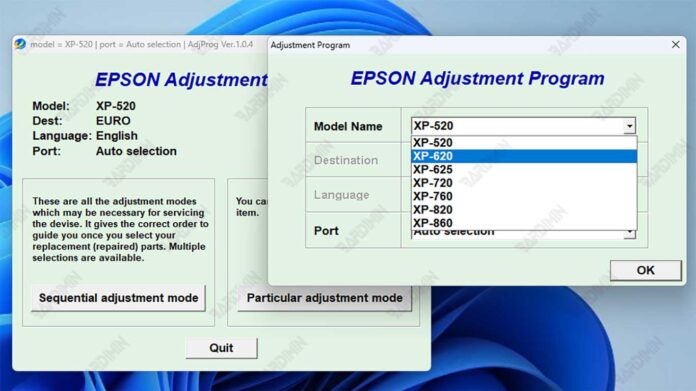
This definitive 2024 guide provides the direct download link for the Epson Service Adjustment Program specifically designed for the XP-520, XP-620, XP-720, XP-760, XP-820, and XP-860 printer series. Learn the professional method to reset the waste ink pad counter, clear persistent "Service Required" errors, and access vital maintenance functions. This technical resource is intended solely for qualified technicians and experienced users who understand the associated risks.
A flashing error light or persistent "Service Required" message on your Epson XP series printer typically indicates one critical issue. The printer's internal waste ink counter has reached its pre-set limit, triggering a protective service lock.
The authorized solution involves using the official Epson adjustment program, a specialized service tool often called a resetter. This software facilitates a controlled reset of the waste ink counter on your Epson XP-520, XP-620, XP-720, XP-760, XP-820, or XP-860 printer. Crucially, this software action must always follow the physical inspection and servicing of the printer's actual waste ink absorption system to prevent damage.
Core Functions of the Epson Adjustment Program
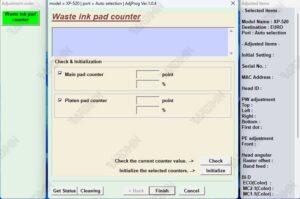
Waste Ink Counter Reset
This primary function resets the software counter tracking waste ink absorption. It directly clears the "Waste Ink Pad Full" or Service Required error on Epson XP-520 to XP-860 models, allowing normal operation to resume.
Service Mode & Diagnostics
The program unlocks the printer's service mode for advanced operations. This includes running nozzle checks, head cleaning cycles, and other diagnostics essential for maintenance.
⚠️ Critical Safety Warning & Prerequisites
- For Qualified Personnel Only: This Epson adjustment program is intended for professional technicians and advanced users. Misuse can permanently damage your printer's firmware or hardware.
- Physical Maintenance is Mandatory: You must physically service the waste ink pads before any software reset. Merely resetting the waste ink counter on your Epson XP-620, XP-760, or other XP model without pad replacement risks severe ink leakage and circuit board damage.
- System Compatibility: The tool is designed for Windows (10/11). Run it as an administrator, and use compatibility mode for older systems if necessary.
- Official Support First: For warranty-covered printers, contact Epson official support before proceeding.
Download Epson XP-520, XP-620, XP-720, XP-760, XP-820, XP-860 Adjustment Program
Use the link below to download the complete 2024 package for the Epson adjustment program. The archive contains the latest installer and necessary files for the reset procedure.
Required Archive Extraction Password
bardimin
Use this password to extract the downloaded RAR file.
Installation & Execution Protocol
- Step 1: Temporarily disable antivirus software to prevent false-positive flags during extraction.
- Step 2: Extract the RAR file using the password
bardimin. - Step 3: Run the installer with administrator privileges on a Windows PC.
- Step 4: Power ON your Epson XP series printer and connect it via USB before launching the program.
- Step 5: Follow the on-screen instructions precisely to complete the waste ink counter reset.
In summary, this Epson adjustment program download provides the necessary software to resolve service lock errors on the XP-520, XP-620, XP-720, XP-760, XP-820, and XP-860 printers. When used responsibly by qualified individuals alongside proper physical maintenance, it is an effective solution for restoring printer functionality and avoiding unnecessary service center visits.
By downloading files from bardimin.com, you agree that:
- Files are obtained from the internet, and copyrights remain with their respective owners.
- Files are for educational, reference, and personal use only.
- bardimin.com does not guarantee that files are free from viruses or malware.
- Any risks, damages, or legal claims arising from the use of files are the sole responsibility of the user.
- bardimin.com is released from any and all claims or liabilities.
If you do not agree, please do not download the file.
