

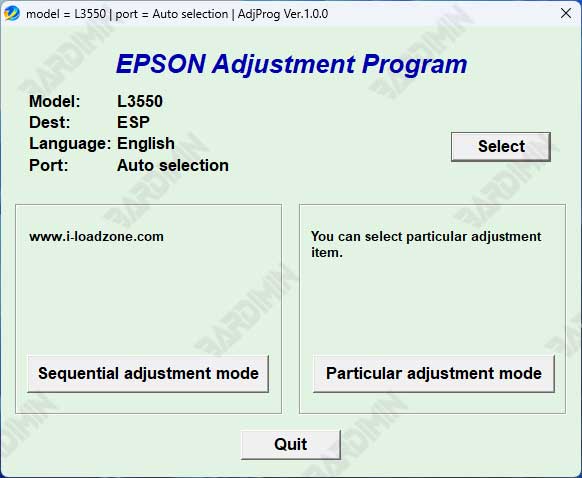
This definitive guide provides the latest download and technical instructions for the Epson Service Adjustment Program (Resetter Tool) for L3550, L3556, and L5590 printer models. Learn how to properly reset the waste ink pad counter, fix blinking light errors, and perform essential maintenance. This advanced resource is designed exclusively for professional technicians and experienced users who understand the associated risks.
A persistent blinking ink light on your Epson L3550, L3556, or L5590 typically signals one critical issue. The printer's internal waste ink pad counter has reached its programmed limit. Consequently, the device locks into a service mode to prevent potential internal damage.
The engineered solution is Epson's proprietary Service Adjustment Program, commonly termed a resetter tool. This specialized software permits a counter reset and error clearance. However, this action is strictly valid only after completing the necessary physical maintenance on the printer's actual waste ink absorption system.
Core Functions of the Adjustment Program
Counter Reset
Clears the full waste ink counter, allowing your Epson printer to exit service mode and resume standard operations.
Error Resolution
Diagnoses and clears specific internal software errors that trigger blinking LED indicators on the device.
Service Access
Provides entry to advanced maintenance modes for detailed printer diagnostics and hardware adjustments.
⚠️ Critical Safety Warning & Prerequisites
- Intended Audience: This tool and guide are exclusively for professional technicians and advanced users with hands-on printer repair experience.
- Mandatory Physical Action: You must physically inspect, clean, or replace the actual waste ink absorption pads inside the printer before any software reset. A counter reset without this step will cause ink leakage and likely result in irreversible motherboard damage.
- System Stability: Ensure a stable USB connection and consistent power supply throughout the adjustment process.
- Instruction Adherence: Follow the included PDF tutorial meticulously to avoid operational failures.
For official hardware specifications and support, always refer to the Epson official website.
Download the Epson L3550, L3556, L5590 Adjustment Program
The complete package below includes the latest version of the adjustment program installer and a detailed, step-by-step PDF guide. The files are securely archived.
Required Extraction Password
ardimin
Use this password to extract the downloaded RAR archive.
Installation & Execution Protocol
- Step 1: Temporarily disable your antivirus software to prevent false-positive flags during extraction and installation.
- Step 2: Extract the RAR file using the password provided above.
- Step 3: Run the installer with administrator privileges on your Windows computer.
- Step 4: Ensure your Epson L3550, L3556, or L5590 printer is powered ON and connected via USB before launching the adjustment program.
- Step 5: Follow the PDF guide instructions sequentially without deviation.
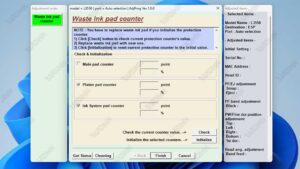
In conclusion, properly using the Epson L3550, L3556, L5590 adjustment program is the definitive method to resolve the waste ink counter error. This process, however, demands technical responsibility. Success depends on combining precise software execution with mandatory physical maintenance. By adhering to this protocol, qualified professionals can effectively restore their printer's full functionality.
By downloading files from bardimin.com, you agree that:
- Files are obtained from the internet, and copyrights remain with their respective owners.
- Files are for educational, reference, and personal use only.
- bardimin.com does not guarantee that files are free from viruses or malware.
- Any risks, damages, or legal claims arising from the use of files are the sole responsibility of the user.
- bardimin.com is released from any and all claims or liabilities.
If you do not agree, please do not download the file.
