

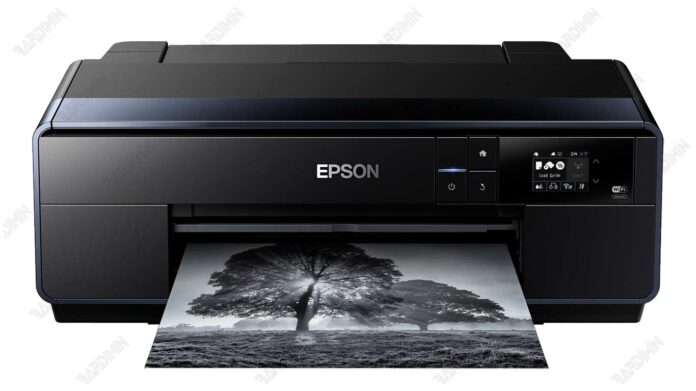
The Epson SC-P600 Adjustment Program is a specialized technical utility designed for printer maintenance and error resolution. This article details its core functions for resetting waste ink counters, performing diagnostics, and executing calibrations, providing essential information for technicians and advanced users handling the Epson SC-P600 or SureLab SL-D600 printer models.
Understanding the Epson SC-P600 Adjustment Program
Technicians and professionals often require the Epson SC-P600 Adjustment Program for advanced printer maintenance. This software suite delivers critical functions beyond standard user controls. Consequently, it is indispensable for resolving deep-seated operational errors and performing essential resets.
Primarily, the program addresses the waste ink counter overflow, a common issue after extensive use. Furthermore, it allows for precise print head alignment and comprehensive system diagnostics. Therefore, it serves as a vital tool for ensuring printer longevity and optimal output quality.
Core Functions and Practical Applications
The adjustment software encompasses several key operational areas. These functions are designed for targeted troubleshooting and printer health management.
- Waste Ink Counter (WIC) Reset: This is the primary function. It resets the printer's internal waste ink pad counter, clearing associated error messages and allowing continued use.
- Print Head Maintenance: The utility enables intensive nozzle cleaning and pattern checks. This process helps resolve clogging and streaking issues for consistent print quality.
- Mechanical Calibration: Users can perform Bi-Directional adjustment and platen gap alignment. These calibrations ensure accurate print registration and media handling.
- System Diagnostics: The program includes tests for critical components. For instance, it can check the CR motor, PF motor, and read EEPROM data for fault analysis.
Important Usage Guidelines and Security Note
This powerful tool requires careful handling. Incorrect procedures can potentially lead to printer malfunction. Always consult official technical resources or service manuals before proceeding.
For security, the downloaded archive file is protected. The required password for the file named "Reset Epson SC-P600 (ECC).rar" is provided below.
Note: This software is intended for use by qualified technicians or individuals with a strong understanding of printer hardware. Proceed at your own risk and ensure you have a clear understanding of the steps involved.
Finally, having the correct adjustment program is crucial for effective printer repair. For official firmware updates or driver support, visit the Epson official website. Community discussions on technical forums can also offer supplementary guidance (use non-official forums with discernment).
By downloading files from bardimin.com, you agree that:
- Files are obtained from the internet, and copyrights remain with their respective owners.
- Files are for educational, reference, and personal use only.
- bardimin.com does not guarantee that files are free from viruses or malware.
- Any risks, damages, or legal claims arising from the use of files are the sole responsibility of the user.
- bardimin.com is released from any and all claims or liabilities.
If you do not agree, please do not download the file.
