

Directory listing is a server feature that displays a list of files and folders when no index file exists. Disabling it is a critical step in website security to prevent information disclosure. This article discusses the risks of directory listing, how to disable it on Apache, Nginx, and IIS, and best practices for securing your server directories.
What Is Directory Listing and Why You Must Disable It
Directory listing is the default behavior of web servers that shows the entire contents of a directory when no index file (like index.html, index.php, or default.htm) is present. The browser then displays the files and folders as hyperlinks, allowing visitors to access or download them directly.
While this feature can be useful for quick file sharing or debugging, it poses a serious security risk. Attackers can exploit directory listing to discover sensitive files such as database backups, configuration files (.env, config.php), logs, or scripts that should remain private. This information can then be used for further attacks like forced browsing or directory enumeration.
Leaving directory listing enabled is like handing a map of all your sensitive files to potential attackers.
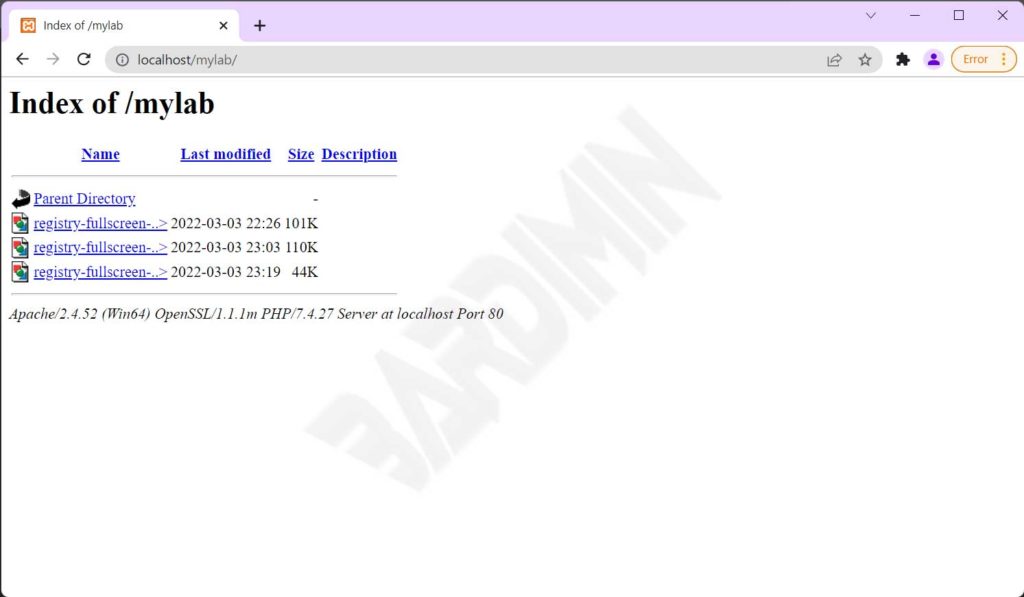
Example of an Active Directory Listing
If directory listing is not disabled, when someone accesses a directory without an index file, they will see a display similar to the following.
How to Disable Directory Listing on Different Servers
The method to disable directory listing depends on the web server you are using. Below are technical guides for the most common servers: Apache, Nginx, and IIS.
1. Disabling Directory Listing on Apache
On Apache, you can control directory listing via the .htaccess file or virtual host configuration. Two main directives are commonly used: Options -Indexes and IndexIgnore.
Using Options -Indexes
Add the following line to your .htaccess file in the root directory or inside a <Directory> block in the main configuration:
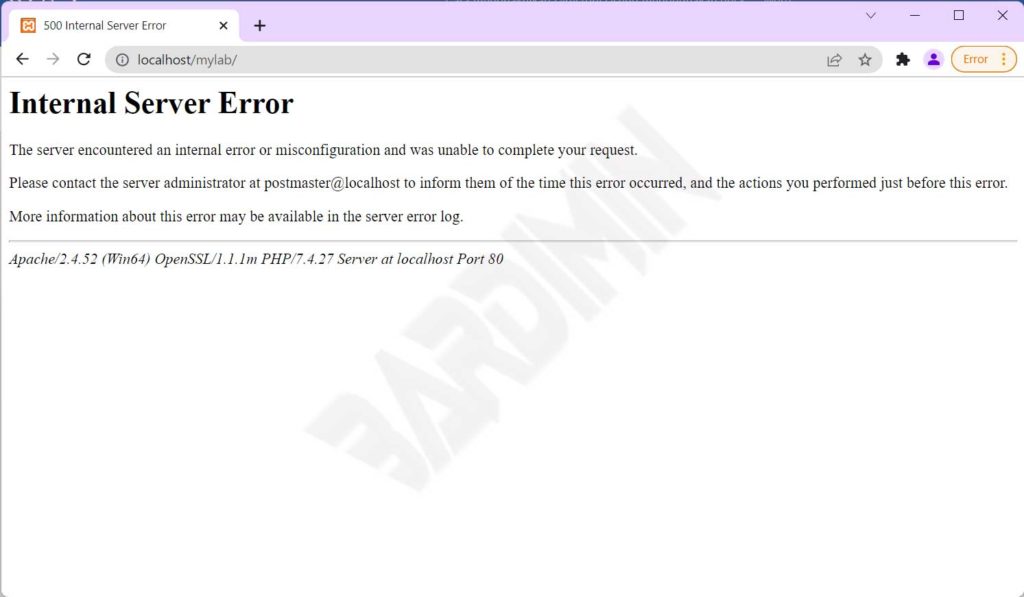
Options -IndexesThis directive prevents Apache from generating directory listings. When a user accesses a directory without an index file, the server returns a 403 Forbidden response. This is the recommended method as it fully blocks access.
Using IndexIgnore
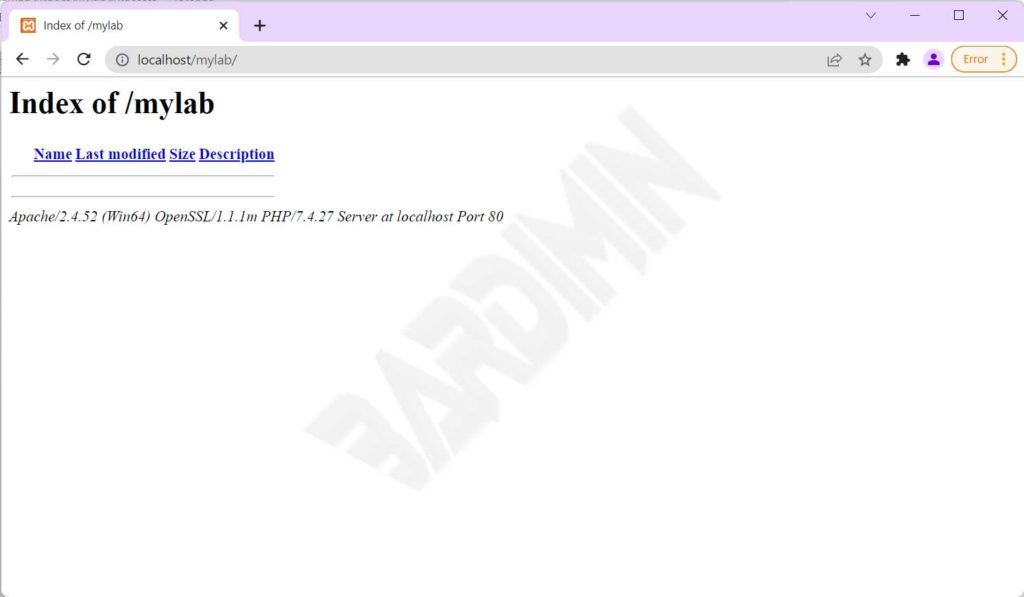
An alternative is the IndexIgnore directive, which hides specific files or directories from the listing. Example:
IndexIgnore *This command hides all files, making the directory listing appear empty. However, unlike Options -Indexes, the directory remains accessible if someone knows the exact file name. Therefore, IndexIgnore is less secure.
Warning: If you use Options -Indexes but still need to allow access to certain files, you can combine it with DirectoryIndex or rewrite rules.
2. Disabling Directory Listing on Nginx
Nginx uses the ngx_http_autoindex_module to manage directory listing. By default, autoindex is off. However, you can ensure it by adding the following configuration inside a location or server block:
location / {
    autoindex off;
}
To disable it for the entire server, place it in the http or server block. To verify if autoindex is active, use nginx -T to view the full configuration.
3. Disabling Directory Listing on IIS (Internet Information Services)
On IIS, directory listing is managed through the Directory Browsing feature. You can disable it via IIS Manager:
- Open IIS Manager, select the site or directory you want to configure.
- Double-click the Directory Browsing feature.
- In the Actions panel, click Disable.
Alternatively, you can modify the configuration via the web.config file by adding the following element:
<configuration>
  <system.webServer>
    <directoryBrowse enabled="false" />
  </system.webServer>
</configuration>
Alternative Method: Create Empty Index Files
If you lack access to server configuration, the simplest method is to create an empty index file in every directory. Just create a file named index.html (or index.php) with no content. When users access the directory, the server will display a blank page or redirect to that file.
This approach works for small websites but becomes impractical for directories with thousands of folders. Moreover, an empty index file remains accessible and offers no protection if someone guesses file names.
For maximum security, combine empty index files with server-level directory listing disablement.
Best Practices for Directory Security
Besides disabling directory listing, consider these additional steps to harden your server directories:
- Restrict access with authentication: Use
.htpasswdon Apache or built-in authentication on Nginx/IIS to protect administrative directories. - Place sensitive files outside the document root: Store configuration files and critical data in directories not accessible via the web.
- Regularly audit: Use security scanners or crawlers to detect any directories that still have listing enabled.
- Disable script execution in upload directories: Use
Options -ExecCGIon Apache or equivalent rules on other servers.
The OWASP (Open Web Application Security Project) recommends always disabling directory listing as part of server hardening. You can read their official guidance on the OWASP forced browsing page.
Conclusion
Disabling directory listing is a fundamental step in securing your website. By following the guides above, you can prevent unintentional information leakage. Choose the method that fits your server infrastructure: use Options -Indexes on Apache, autoindex off on Nginx, or disable Directory Browsing on IIS. Combine these with other security practices to create a layered defense.
For further documentation, visit the official Apache mod_autoindex and Nginx ngx_http_autoindex_module pages.
