

A keylogger, or keystroke logger, is a tool that records every key pressed on a keyboard, used for both legitimate monitoring and malicious activities. This article explores the technical definition of keyloggers, the difference between hardware and software variants, legal implications based on usage, methods to detect keyloggers on your system, and recommendations for up-to-date free keylogger applications for parental control and employee monitoring.
A keylogger, also known as a keystroke logger, is a method of recording the keys struck on a keyboard. This technology can be implemented as physical hardware inserted between the keyboard and the computer, or as software running stealthily within an operating system. The term keylogger often carries a negative connotation because hackers frequently use it to steal login credentials, credit card information, and other sensitive data without the victim’s knowledge. However, keyloggers also have legitimate functions, such as monitoring children’s online activities or evaluating employee productivity in a corporate environment. The legality of keylogger use hinges on intent and consent; installing one on another person’s device without permission clearly violates privacy laws and regulations.
Understanding Keyloggers: Hardware vs. Software
From a technical standpoint, keyloggers fall into two main categories. Hardware keyloggers are small physical devices attached to the keyboard connector, typically appearing as PS/2 or USB adapters. They record all keystrokes and store them in internal memory, which an attacker later retrieves. Their advantage lies in being undetectable by security software because they operate outside the operating system. Conversely, software keyloggers are programs installed on the target computer. They can run at the kernel level (ring 0), making them extremely difficult to detect, or at the user space level, where they are somewhat easier to identify. Modern software keyloggers often include additional features like screenshot capture, clipboard monitoring, and application tracking.
Hardware keyloggers leave no trace on the operating system, making them a formidable threat that conventional antivirus software cannot detect.
Detecting and Protecting Against Malicious Keyloggers
For professionals and gamers who depend heavily on data security, detecting rogue keyloggers is an essential skill. Effective detection methods include inspecting suspicious processes via Task Manager or Process Explorer, monitoring unusual outbound network connections (since keyloggers often transmit stolen data to remote servers), and employing dedicated anti-keylogger tools. Moreover, fundamental security practices such as consistently updating the operating system, enabling two-factor authentication, and exercising caution with email attachments or downloads from untrusted sources can significantly reduce the risk of keylogger infection. Regularly scanning your computer with anti-malware software that maintains an updated keylogger signature database is also highly recommended.
Recommended Free Keylogger Applications for Legitimate Monitoring
For ethical monitoring purposes like parental control or overseeing company computer usage, several functional free keylogger applications are available. It is crucial to always obtain consent from the monitored party where required by local laws. Below are some applications that remain relevant and widely used as of 2025, based on technical reviews and security features.
1. Best Free Keylogger (Refog)
Best Free Keylogger from Refog is a fairly popular monitoring solution with a straightforward interface. It offers parental controls that enable blocking adult websites and setting time limits for internet usage. This keylogger operates in stealth mode, so the computer user remains unaware that their activity is being recorded. Captured logs are stored in encrypted files and can be scheduled for delivery via email or FTP. The smart read filter helps eliminate irrelevant data, resulting in reports focused on specific applications or keywords.
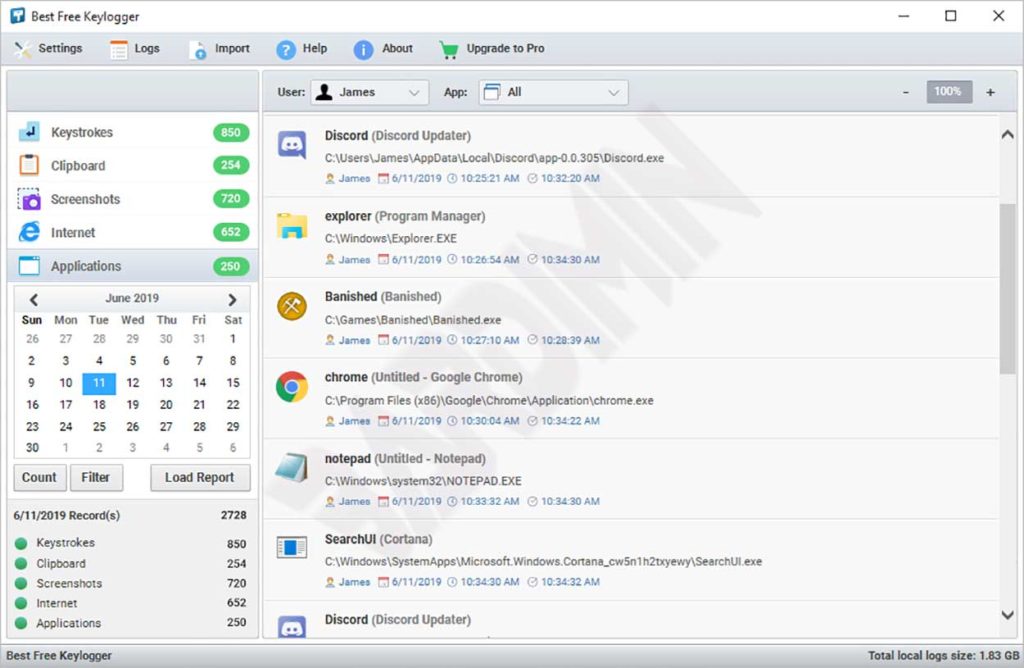
Notable features of Best Free Keylogger include:
- Keystroke recording
- Clipboard content monitoring
- Automatic periodic screenshot capture
- Internet activity logging (visited URLs)
- Application and website blocking based on blacklists
- HTML report generation for easy reading
- Log delivery via email, FTP, or local storage
- Stealth operation mode
- AES-256 encryption for log protection
2. KidLogger
KidLogger is specifically designed for parents who wish to monitor their children’s digital activities. This application is available for Windows, macOS, Android, and iOS. The free version offers basic features sufficient for tracking used applications, visited websites, and device usage duration. On Android devices, KidLogger can also record phone calls, text messages, and track GPS location. All data can be accessed through a secure online dashboard, enabling remote monitoring for parents.
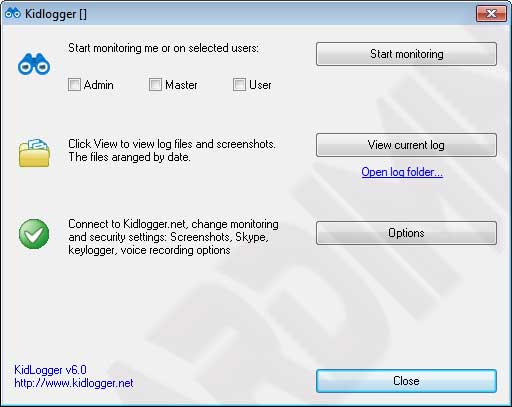

With KidLogger, you can obtain information such as:
- Overall device usage duration
- Most frequently opened applications and games
- Complete web browsing history with timestamps
- Typed text content (including messages on social media)
- Geographical location of the child’s device (mobile version only)
- Photos taken with the device camera (with notifications)
3. Elite Keylogger
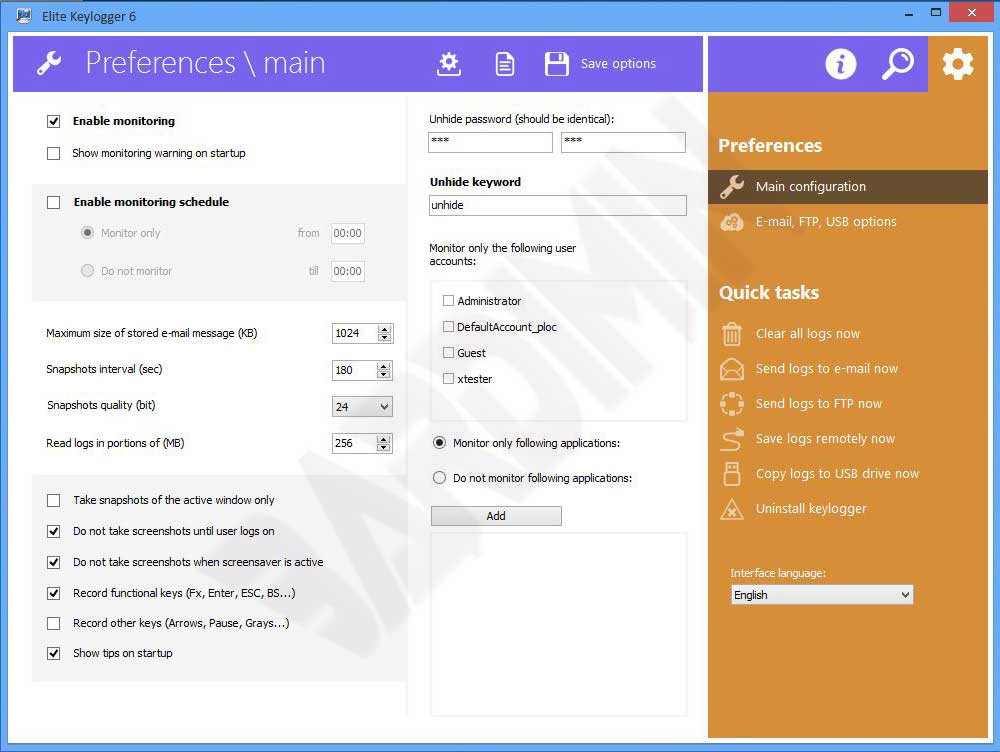
Elite Keylogger is a cross-platform monitoring application supporting Windows and macOS. It offers accurate keystroke logging and the ability to capture passwords typed in various applications, including web browsers. The free version includes time-limited features but remains useful for trial purposes. Elite Keylogger also provides options to stealthily send logs via email and includes application blocking to prevent access to specific programs. Its interface is designed to be intuitive for advanced users.
Legal and Ethical Aspects of Keylogger Use
Before deciding to use a keylogger application, it is important to understand the legal implications. In many jurisdictions, installing a keylogger on a device that does not belong to you without the user’s consent is illegal and may lead to criminal penalties. For workplace use, companies are generally required to inform employees that their activities are monitored, often through a signed acceptable use policy. For child monitoring, parents typically have legal authority, but it is advisable to maintain open communication with children about privacy boundaries. Using keyloggers to steal personal data, banking credentials, or trade secrets is unequivocally a serious cybercrime.
Critical points: Unauthorized keylogger use risks violating Indonesia’s ITE Law and the GDPR in Europe. For employee monitoring, companies must have a signed written policy. Communicate this policy transparently. For child monitoring, establish an open dialogue about online safety so children understand the purpose. Consult with legal experts before implementing monitoring to ensure regulatory compliance.
How to Protect Yourself from Malicious Keyloggers
For professionals and gamers who frequently conduct online transactions or store sensitive data, protecting your system from keyloggers is a priority. Here are technical steps you can implement:
- Use two-factor authentication (2FA) for all critical accounts. Even if a keylogger captures your password, time-based OTP codes will thwart unauthorized access.
- Install security software with anti-keylogger features, such as Malwarebytes or Kaspersky, which detect suspicious behavior.
- Regularly inspect running processes using tools like Process Explorer from Sysinternals. Look for processes with suspicious or unfamiliar names.
- Monitor outbound network connections with a personal firewall. Keyloggers often send data to remote servers, making unusual outgoing activity a potential indicator.
- Use an on-screen keyboard or virtual keyboard when typing sensitive information in public places, as hardware keyloggers cannot capture virtual keystrokes.
- Keep your operating system and software up to date to patch vulnerabilities that keyloggers might exploit.
Conclusion
Keyloggers are double-edged tools that can be used for both benevolent and malicious purposes. A thorough understanding of their operation, detection methods, and legal ramifications is essential for IT professionals, technicians, and gamers who aim to safeguard their data. Free keylogger applications like Best Free Keylogger, KidLogger, and Elite Keylogger offer legitimate monitoring solutions when used ethically and within legal boundaries. On the other hand, vigilance and robust cybersecurity practices remain the strongest defense against unwanted keylogger threats. Always weigh the risks and benefits before deploying such technology in your environment.
