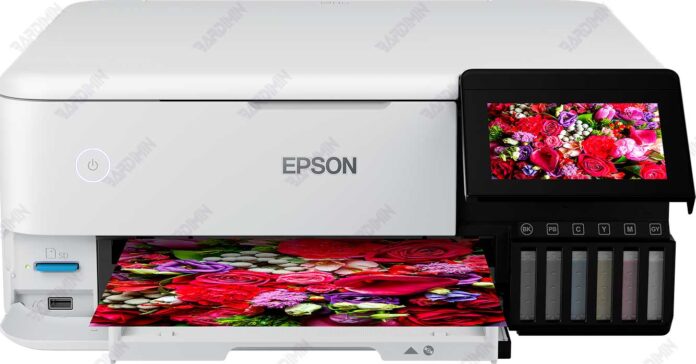
This guide provides access to the essential Epson L8160 Adjustment Program, a specialized maintenance tool designed for resetting the waste ink pad counter and performing critical printer adjustments. Aimed at technicians and advanced users, it includes the latest download information, key features, and important usage notes to ensure proper printer care.
Understanding the Epson L8160 Adjustment Program
The Epson L8160 Adjustment Program is a dedicated software utility. Primarily, it resets the printer's internal waste ink counter. Consequently, this action clears error messages and restores functionality when the counter is full. Furthermore, it offers advanced functions for print head alignment and EEPROM management.
Primary Functions and Applications
This software serves several crucial roles in printer upkeep. Therefore, it is indispensable for resolving specific hardware issues.
- Waste Ink Counter Reset: This is the core function. It solves problems where the printer has stopped working or displays warning lights due to a saturated waste ink pad.
- Advanced Printer Maintenance: The program allows calibration of various internal parameters. This ensures print quality and mechanical accuracy.
- System Diagnosis: It helps identify and troubleshoot deeper system errors within the Epson L8160 printer.
Software Features and Technical Specifications
The adjustment program combines powerful features with a straightforward interface. Here are its key attributes:
- Simple waste ink counter reset procedure.
- Precise print head alignment and adjustment utilities.
- EEPROM data reading and writing capabilities.
- Printer status monitoring and error checking.
- Compatible with Windows 10 and Windows 11 operating systems.
• File Name: Epson L8160 Adjustment Program.rar
• Archive Size: Approximately 4 MB
• Target Model: Epson L8160 series printers
• Supported OS: Windows 10, 11 (64-bit recommended)
Important Download and Usage Instructions
Download the official adjustment program archive file using the link provided by your trusted source. Before proceeding, ensure you have compatible Windows PC and a USB connection to the printer.
After downloading, you must extract the RAR file to access the software. The archive is secured with a password to prevent unauthorized use.
bardimincom
Best Practices and Safety Notes
Always use this adjustment tool with caution. It is intended for knowledgeable users, technicians, or service center personnel. Incorrect use can lead to printer malfunction.
For official support and genuine printer drivers, always refer to the Epson official website. Additionally, consider consulting the printer's service manual for detailed procedures.
In summary, the Epson L8160 Adjustment Program download is a vital resource for maintaining your printer's longevity. By following this guide, you can effectively manage waste ink counter issues and perform essential maintenance tasks.
By downloading files from bardimin.com, you agree that:
- Files are obtained from the internet, and copyrights remain with their respective owners.
- Files are for educational, reference, and personal use only.
- bardimin.com does not guarantee that files are free from viruses or malware.
- Any risks, damages, or legal claims arising from the use of files are the sole responsibility of the user.
- bardimin.com is released from any and all claims or liabilities.
If you do not agree, please do not download the file.