

In today’s digital age, networking is essential to connect various devices and enable effective communication. Computer networks are not only for data sharing but also support a wide range of applications in business, education, and entertainment. With a good understanding of networking, individuals and organizations can use technology better, increase productivity, and reduce operational costs.
This Bardimin article will discuss various important concepts such as network types, data transmission methods, and Ethernet architectures that are often used. With this knowledge, it is hoped that readers can understand how networks work and how to build and manage effective networks.
What is a network?
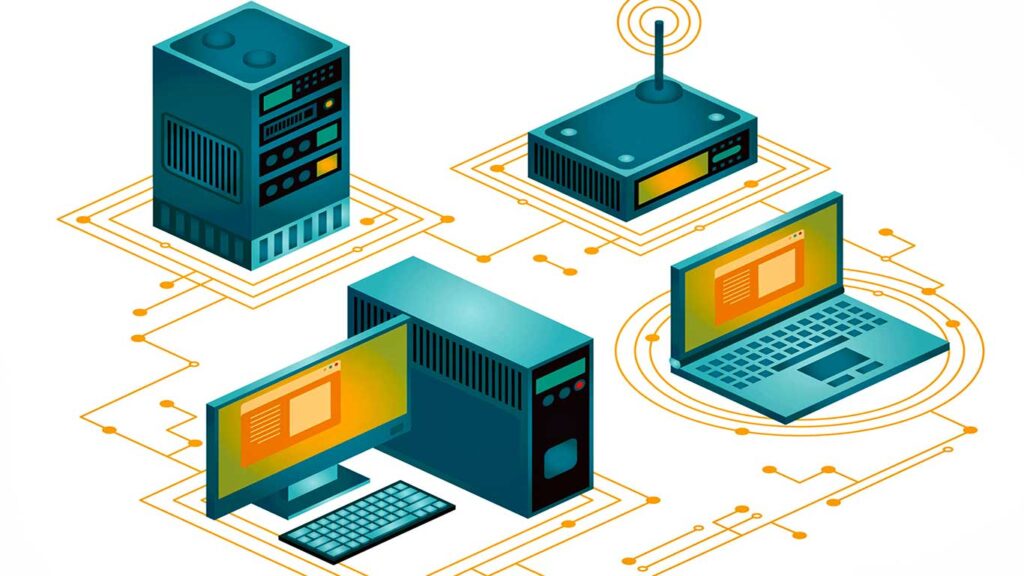
Networking is the process of connecting various computer devices to communicate and exchange data. Any connected device can serve as both a sender and a data receiver. The transmitted data is packaged in packets, each with a clear source address and destination to ensure the information arrives correctly.
Types of Tissue
Several types of networks are frequently used, each with different characteristics and purposes:
LAN (Local Area Network):
A local network that usually covers a small area such as a home or office. LANs allow devices within a limited range to share resources and information quickly. Data transfer speeds within LANs are typically high, often reaching 1 Gbps or more.
WAN (Wide Area Network):
A network that covers a larger area, such as a city or country. A WAN connects multiple LANs over the internet or other telecommunication channels. The most common example of a WAN is the internet.
MAN (Metropolitan Area Network):
A network that covers an area larger than a LAN but smaller than a WAN, such as a city or university campus. MAN is often used to connect multiple LANs within a single metropolitan area, allowing for communication and data exchange between locations.
Basics of Network Communication
Communication between computers in a network occurs when data is sent from one device to another. In this process, the computer that sends the data is called the sender, while the computer that receives the data is called the receiver. This process involves sending data in the form of data packets, which are the smallest units of information that can be sent over a network.
Definition of Sender and Receiver
- Sender: The device that initiates communication by sending data. The sender is in charge of packaging the information into a data packet and sending it to the receiver.
- Receiver: The device that receives the data packet from the sender. The recipient will process and understand the information received according to the destination address on the package.
Explanation of Data Packets and Source Addresses and Destinations
Each data plan has several important components, including the source address and destination address:
- Data Packet: A unit of information that is packaged to be sent over a network. This package contains the actual data as well as control information such as source and destination addresses.
- Source Address: Shows the address of the sender, so the recipient knows where the package is coming from.
- Destination Address: Indicates the address of the recipient, ensuring the data packet reaches the right device.
Each device in the network has a unique address for effective communication, such as MAC addresses and IP addresses. A MAC address is a physical address on each device’s network card (NIC), while an IP address is a logical address that can be set manually or automatically via the DHCP protocol. In this way of addressing, the network can organize communication well and ensure each data packet reaches its correct destination.
Data Transmission Mode
Transmission mode is the way data is sent from one device to another device in a network. Each mode has different characteristics in the direction of communication and bandwidth usage. There are three main transmission modes to be aware of:
Simplex Mode
In simplex mode, communication only happens in one direction. One device can send data but cannot receive it, and vice versa. An example of this mode is a radio station, where a signal is sent to the listener without allowing them to reply. Devices such as keyboards and monitors also function in this mode; The keyboard only sends input to the computer, while the monitor only displays the output.
Half-Duplex Mode
In half-duplex mode, communication can take place in two directions, but not simultaneously. One device can send and receive data, but only one direction is active at a time. An example of this mode is a walkie-talkie, where one person talks while the other listens, then they take turns talking. Although both devices can communicate, there is a time lag when one device has to wait before it can send data again.
Full-Duplex Mode
In full-duplex mode, communication occurs in both directions simultaneously. Both devices can send and receive data at the same time without interruption. The most common example of this mode is telephone communication, where both parties can talk and listen at the same time. This mode provides the highest communication speed as it utilizes the entire bandwidth of the channel for data transmission.
Ethernet Architecture
Ethernet is the most widely used networking technology for connecting devices in a local area network (LAN). Introduced in the 1970s, Ethernet offers an efficient and affordable solution for data communication. Its popularity is due to several factors, including ease of installation, low cost, as well as the ability to support high data transfer speeds. Ethernet is also flexible, it can use different types of cables, such as twisted pair and fiber optic, which makes it suitable for a wide range of applications, from homes to large enterprises.
Types of Ethernet
Several types of Ethernet are designed to meet different speed and application needs:
- Fast EthernetFast Ethernet, known as 100BASE-TX, offers data transfer speeds of up to 100 megabits per second (Mbps). This is a significant improvement over the original Ethernet standard that operated at 10 Mbps. Fast Ethernet uses twisted pair cables and is designed for compatibility with older devices. It is widely used in small to medium-sized local networks.
- Gigabit EthernetGigabit Ethernet, or 1000BASE-T, provides data transfer speeds of up to 1 gigabit per second (Gbps), which is ten times faster than Fast Ethernet. Although originally designed to use fiber optic cables, now Gigabit Ethernet can also work with twisted pair cables. This technology is ideal for applications that require high bandwidth, such as video streaming and large file transfers.
Comparison of Speed and Usage
| Ethernet Type | Data Transfer Speed | General Use |
| Fast Ethernet | 100 Mbps | Small to medium-sized local networks |
| Gigabit Ethernet | 1 Gbps | Modern networks, data centers, high-bandwidth applications |
Fast Ethernet is suitable for networks that do not require very high speeds, while Gigabit Ethernet is the first choice in environments that require maximum performance and efficiency in data management.
Peer-to-Peer Network
A peer-to-peer (P2P) network is a model in which every device in a network can function as both a client and a server. This means that each computer can send and receive data and share resources such as files and printers without the need for a central server. In a P2P network, all devices have the same rights, and no one device controls the entire network. This model is often used for file sharing, direct communication, and collaboration.
Excess:
Low Cost: Peer-to-peer networks do not require expensive dedicated servers, resulting in lower installation and maintenance costs. Many basic functions are already present in the operating system used by each device.
Easy to Install: P2P network installation is quite easy as it only requires a basic setup on each computer and a physical connection between devices. Users do not need to set up additional servers or hardware.
Reliability: If one device experiences a problem, the network can still function. Each device can work independently, thus increasing the overall reliability of the system.
Decentralization: In the absence of a central server, users have more control over their data and resources, providing flexibility in information management.
Deficiency:
Complicated Resource Management: In the absence of a central server, resource management becomes more difficult because it has to be done manually on each device. Users need to track and manage access to resources one by one.
Vulnerable Security: P2P networks can be easier to attack because there is no centralized control. Each user is responsible for the security of their data, which can lead to confusion and risk.
Difficulties in Data Backup: Without a central location to store shared files, data backup becomes challenging. Users must set up backups separately on each device.
Use of Computer Resources: If multiple users access a printer or other resource connected to one of the computers, that computer will require more processing resources to meet requests from other users.
Conclusion
In computer networks, communication between computers is carried out by sending data in packets that have a source and destination address. There are three modes of transmission: simplex (one-way), half-duplex (two-way unparalleled), and full-duplex (two-way together). Ethernet is the most common network architecture, using the CSMA/CD method to avoid collisions when sending data. Variations such as Fast Ethernet and Gigabit Ethernet offer transfer speeds of up to 100 Mbps and 1000 Mbps.
The peer-to-peer (P2P) networking model allows each computer to function as a client and server, reducing costs with equal access rights. While P2P is easy to install and reliable, challenges arise in data management and security because there is no central location for file storage. Understanding these concepts helps individuals and organizations maximize information technology and improve communication efficiency.
