In today’s digital age, computer networks are very important as the basis for communication and data exchange. Router, Server, and VLAN are the main components that keep the network functioning properly and efficiently.
In this article, Bardimin will explain these network devices’ functions, settings, and work in detail to provide a thorough understanding for beginners and professionals alike.
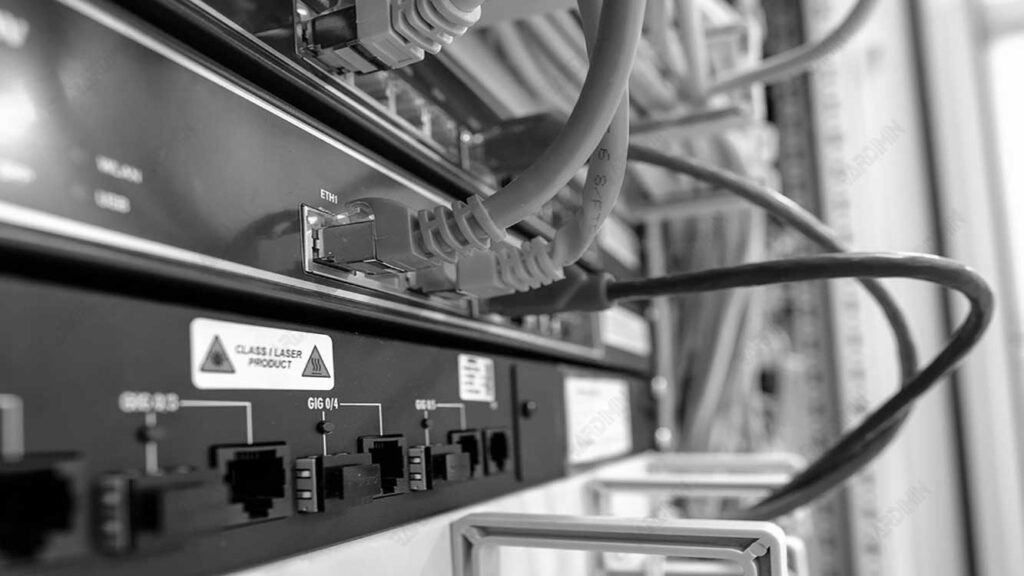
What Is a Router and Its Functions?
A router is an essential tool in a network that connects various networks. Here, we’ll cover some important things about routers, including their definition, main functions, and routing algorithm.
Router Definition
A router is a device that operates at the network layer in the OSI model and the internet layer in the TCP/IP model. Its main task is to pass data packets between networks by determining the best path based on the information in the packet header.
In other words, the router serves as a link that ensures the data gets to its destination in the most efficient way.
Main Functions of Router
The main function of a router is to send data packets based on the information in the header. The router analyzes the destination address in the packet and uses the routing table to determine the direction of the packet’s delivery.
This process involves selecting the best path to send data from the source to the destination, which is crucial for maintaining network efficiency and speed.
Routing Algorithm
Routing algorithms are an important part of data delivery. This algorithm selects the best path based on several metrics, such as:
- Hop Count: Counts the number of routers that the packet passes through.
- Delay: Measures the time it takes to send a package from the source to the destination.
- Bandwidth: Assess the capacity of links available for data delivery.
- Load: Pay attention to the level of traffic density in each lane.
Using these metrics, routing algorithms can determine the optimal path for each data packet, ensuring the network functions efficiently and effectively.
Routers not only connect local networks but also play a role in overall internet traffic management, making them one of the most important devices in modern network infrastructure.
Routing Metrics: Path Determination Basics
Routing metrics are variables that are used to determine the best path in data delivery. This metric is crucial in the routing process because it helps routing algorithms choose the most efficient path based on a variety of factors. Here’s an explanation of some commonly used routing metrics:
Delay
Delay is the time it takes for a router to process, queue, and deliver data packets to a specific interface. This metric includes all the time spent in each stage of packet processing. The path with the lowest delay value is considered the best path because it is faster in data transmission.
Hop Count
Hop count is the number of hops that a data packet travels through a network device, such as a router. This metric measures how many devices a package has to travel through before it reaches its destination. If the routing protocol considers hop count as the primary metric, then the path with the fewest number of hops will be selected as the best path.
Bandwidth
Bandwidth is the capacity of a path to transfer data, usually expressed in bits per second (bps). This metric shows how much data can be transferred through a link in a given time. Higher-bandwidth lines will be preferred because they can handle more data at once, thus improving transmission efficiency.
Reliability
Reliability refers to the reliability of a dynamically measured line. Some links may be more susceptible to damage than others. System administrators typically assign numerical reliability values to each path, and more reliable paths will be selected compared to less reliable paths.
Load
Load shows how congested the network traffic is at any given time. It can be measured from the number of packets processed in a given time or the usage of resources such as CPU and memory. Lighter load paths are considered better for data transmission, as they reduce the risk of congestion and increase the speed of transmission.
Types of Routing in Networks
Routing in a computer network is the process of sending data packets from one network to another through a predetermined path. The type of routing affects how the router sends data packets, and each type has its advantages and disadvantages. Here are some of the most commonly used types of routing:
Static Routing
Static routing is a method in which routes are manually defined and set by network administrators. In this method, each route must be manually added to the routing table for the router to send packets to a predefined destination.
Excess:
- Low CPU Usage: There is no additional load on the router’s CPU usage, making it more efficient for devices with limited resources.
- Higher Security: Only administrators have full control over the allowed routes, thus increasing network security.
- No Bandwidth Usage Between Routers: Static routing does not require constant communication between routers to update the routing table.
Deficiency:
- Complexity in Large Networks: Manually adding routes for large networks can be very tiring and prone to errors.
- Administrator Skills: Administrators must have in-depth knowledge of network topology to manage routes effectively.
Default Routing
Default routing is a technique in which a router is set to send all data packets to a single default destination, regardless of the network from which the packet originates. This is useful when the network has a single point of exit.
Excess:
- Easy: Makes it easier to set up lanes when most of the traffic is heading to a single location.
- Efficient for Small Networks: Ideal for small networks where all data can be routed to a single device.
Deficiency:
- Less Flexible: If there is a specific path to take, the router will ignore it and stick with the default path.
- Congestion Risk: All data going to a single location can cause congestion if not managed properly.
Dynamic Routing
Dynamic routing is a way in which routers automatically change the routing table according to changing network conditions. Protocols such as RIP (Routing Information Protocol) and OSPF (Open Shortest Path First) are used to automatically find and update new paths.
Excess:
- Easy to Configure: The setup process is easier as there is no need to manually add each path.
- Adaptive to Change: Routers can adjust paths automatically when network conditions or structures change, making them more efficient.
Deficiency:
- High CPU and Bandwidth Usage: This dynamic process can lead to greater resource usage compared to static routing.
- Lower Security: Since the path is automatically defined, there is a security risk if it is not managed properly.
Server Basics in Computer Networks
A server is an application that operates on a remote computer to provide services to other computers in the network. In networking, servers have a crucial role in managing and providing the resources required by the client. Here is an explanation of what a server is, as well as the advantages and disadvantages of using it.
Definition of Server
A server is a program that is constantly running to fulfill requests from clients. When a client needs access to a specific resource, such as a file, application, or other service, they send a request to the server.
The server then processes the request and sends a reply back to the client. A server can be either hardware (physical computer) or software that runs inside an operating system.
Advantages of Using a Server
- Centralized Administration: With servers, all management and control can be done from a single location. This makes it easier for network administrators to manage access and security of resources.
- Safer Backups: Critical data can be stored on servers, making it easy to backup and restore data in the event of corruption or loss.
- Faster Network: Servers can increase network speed by providing fast and efficient access to resources needed by clients. The use of servers also allows for better management of data traffic.
Server Disadvantages
- Network Congestion: When multiple users access a server at the same time, the network can experience congestion. This can result in decreased performance and longer response times for users.
- Server Dependency: If a server experiences a problem or breakdown, all services that depend on it will be affected. This can lead to quite a long downtime for the user.
- Special Hardware Requirements: Some servers may require specific hardware to function properly, which can increase operational costs.
Understanding the Concept of VLAN (Virtual Local Area Network)
VLAN or Virtual Local Area Network is the concept of a logically divided local network. VLANs allow devices in a network to be grouped based on specific functions, departments, or needs regardless of the physical location of the device. The following is an explanation of the concept of VLANs in computer networks:
VLAN Definition
VLANs are logical networks that provide flexibility for organizations to group devices on a network regardless of their physical location. With VLANs, devices in different locations can be connected in a single logical network, making it easier to manage and reducing the need for physical reset.
Benefits of VLANs
- Reduces Network Traffic: VLANs limit broadcast traffic to only the same VLAN segment, thereby reducing the number of broadcast packets circulating on the network. This makes the network more efficient and less easily overwhelmed by excessive traffic.
- Improves Data Security: VLANs improve network security by separating sensitive data into specific VLANs so that only devices in the same VLAN can access them. This makes it difficult to gain unauthorized access to more sensitive data, such as financial data or personal information.
How to Set Up VLANs
The VLAN setup process typically involves a few commands in the network configuration mode. Here are the basic steps to set up a VLAN:
- Enter Configuration Mode: Use the configure terminal command to enter the global configuration mode on the network device.
- Specifying the VLAN ID: Use the command vlan <vlan-id> to enter the VLAN configuration mode, where <vlan-id> is a unique number that identifies the VLAN you want to set.
- Name VLAN (Optional): Use the <vlan-name> name command to name the VLAN. This name is optional but can help in identification.
- View VLAN Configuration: To check the VLAN configuration that has been created, use the show vlan command to display the VLAN information on the network device.
Conclusion
Understanding routers, servers, and VLAN is essential for improving the performance and security of computer networks. Each of these elements has a different but mutually supportive role: routers regulate data traffic, servers provide services to devices on the network, and VLANs allow for more secure and efficient network separation.
This article has explained the basics of these devices and network settings, which can help improve overall network performance as well as maintain the security and reliability of data communications in modern networks.