

This article discusses accurate methods for measuring LAN network speed, the influencing factors, and an in-depth analysis of the pros and cons of three professional tools for technicians, IT admins, and gamers. You will learn how to select the right tool for obtaining credible bandwidth measurement results.
LAN network speed is a crucial parameter for productivity, data transfer, and online gaming expirience. However, numbers shown by internet-based speed test services often do not reflect the actual performance of your local network infrastructure. To measure internal bandwidth accurately, specialized tools and methods focused on traffic between devices within the network itself are required.
The results of LAN speed measurements are heavily influenced by physical components. The main determining factors include switch or router specifications, ethernet cable quality and category, and the capability of the Network Interface Card (NIC) on each computer. Therefore, measurement is essential for diagnosing bottlenecks.
- Switch/Router: Ensure ports support 1 Gbps (Gigabit) or 2.5/5/10 Gbps speeds for current standards.
- Network Cable: Use at least CAT5e cable for Gigabit, and CAT6/6a for speeds above 1 Gbps.
- Network Card (NIC): Drivers must be updated and duplex configuration set to auto-negotiation or full duplex.
1. iPerf3: The Industry Standard Tool for Precision Measurement
iPerf3 is a command-line tool that is the top choice for network professionals. This tool measures maximum throughput between two hosts by sending controlled data packets. Its strengths are high accuracy, support for TCP and UDP protocols, and the ability to test with various parameters.
- Pros: Measurement results are very accurate and consistent as it tests directly between devices. Supports in-depth parameter adjustments (window size, parallel streams, protocol). Lightweight, cross-platform (Windows, Linux, macOS), and completely free.
- Cons: Text-based (CLI) interface is less friendly for casual users. Requires manual configuration on two computers (server and client). Interpreting results requires a basic technical understanding of networking.
Its operation requires one computer to act as the server and another as the client. Here are the basic steps:
Running iPerf3 Server
iperf3 -sThis command makes the computer listen for test connections from the client.
Running iPerf3 Client
iperf3 -c [Server_IP_Address]Replace [Server_IP_Address] with the IP address of the server computer. The results will show the measured bandwidth in Gbps or Mbps. This technique provides a real picture of data transfer speed on your network without cache interference.
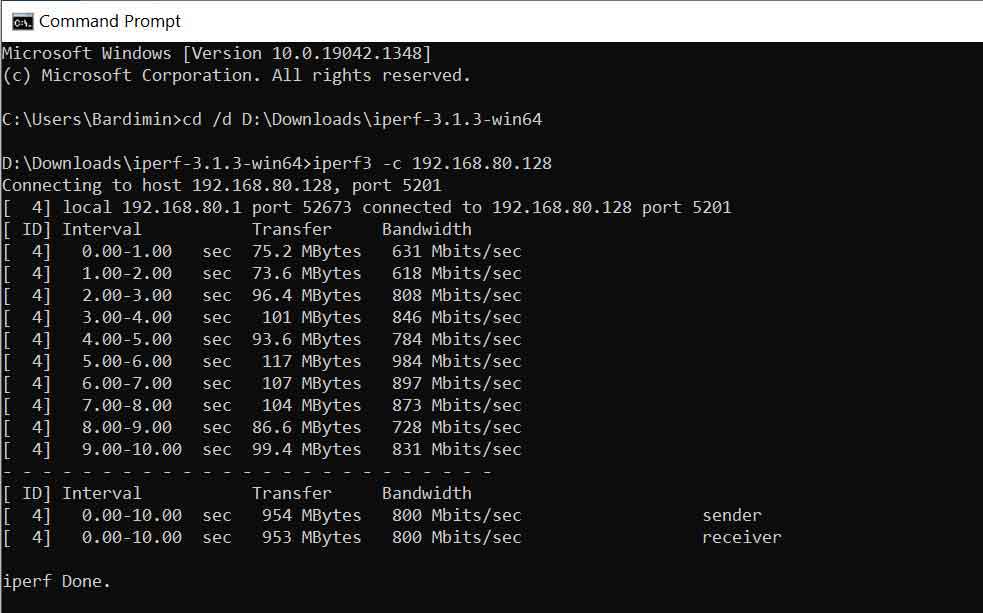
2. LAN Speed Test (Lite): A Practical GUI-Based Tool
For those who prefer a graphical interface, LAN Speed Test from Totusoft is a simple solution. This tool measures speed by creating a test file in memory and transfering it to a shared folder on the network. This method simulates real-life file transfer activity.
- Pros: Intuitive and easy-to-use graphical interface (GUI). Realistic simulation for file transfer activity (read/write). No installation required (portable).
- Cons: The free version (Lite) can only test to a shared folder, not directly to an IP. Results can be influenced by the storage (disk) speed on the target computer. Advanced features like a dedicated server require a paid license.
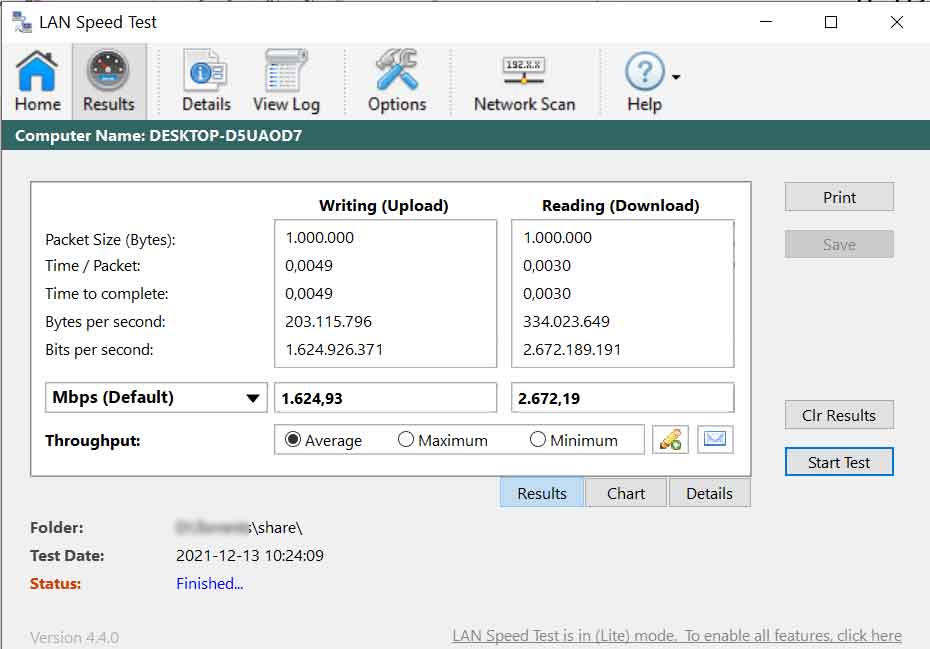
3. LANBench: A Lightweight and Fast Tool for Simple Testing
LANBench is another lightweight alternative. Similar to iPerf, LANBench uses a client-server model with a minimal interface. This tool is quite effective for quick and straightforward testing without complex configuration.
- Pros: Very lightweight and easy to run. Simple interface yet based on client-server for accuracy. Fast testing process with real-time throughput graph display.
- Cons: Tool development has been discontinued, so it may not be compatible with the latest operating systems. Testing features and parameters are very limited compared to iPerf3. Only available for the Windows platform.
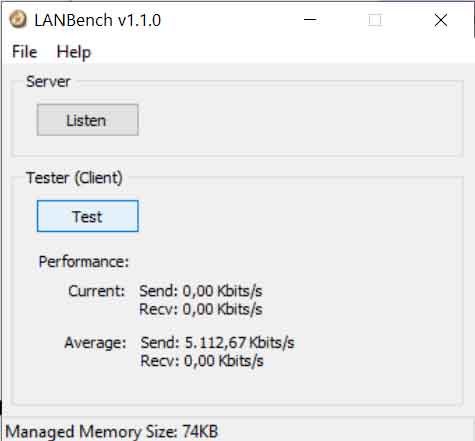
Of the three options, iPerf3 remains the top recommendation for precise and reliable measurement. This tool provides in-depth control and consistent results. Meanwhile, for quick needs with a GUI, LAN Speed Test is a viable choice. LANBench is suitable for quick testing in older Windows environments.
As a final step, ensure no heavy applications are using the network during testing. This way, you will get an accurate picture of the actual LAN network speed, allowing you to make the right infrastructure improvement decisions.
