

The processor, or CPU (Central Processing Unit), is the main component of a computer that serves as the “brain” of the system. The processor executes instructions, performs calculations, and sets input/output operations. All computer activity, from running applications to processing data, depends on processor performance measured in gigahertz (GHz), with many modern models capable of running billions of cycles per second.
Each processor has specifications that affect its ability to handle certain tasks. For example, heavy graphics processing requires a high-performance processor, while basic tasks may not. By understanding the characteristics of the processor, such as clock speed, cache size, and architecture, users can make better choices when purchasing or assembling a computer and diagnose future performance issues.
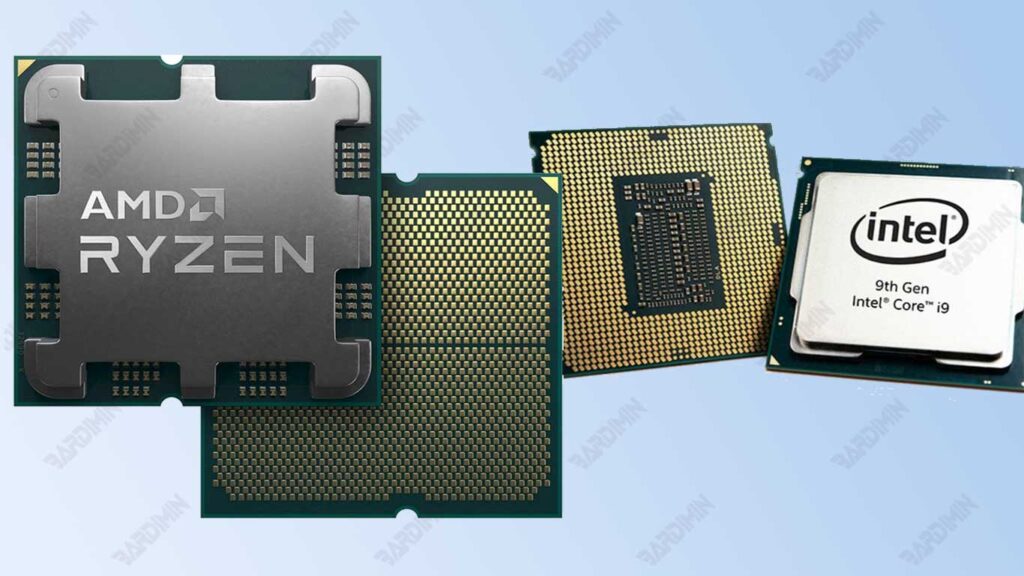
What is a Processor?
The processor is the main component of a computer. It functions to execute software instructions, perform calculations, and manage input/output operations. Processors are considered the “brains” of computers and are measured in gigahertz (GHz). They have multiple cores to improve multitasking and efficiency.
The processor uses a binary system consisting of two numbers, 1 and 0, where one number is called a bit. The eight bits form a single byte, the basic data storage unit that represents the character. For example, the letter “A” in binary is 01000001.
When processing data, the processor takes information in the form of bits and bytes and then operates according to the instructions. Each character typed on the keyboard is converted to bytes before processing. Processors have register sizes that indicate the number of bits that can be processed at once, such as 8-bit, 16-bit, 32-bit, or 64-bit.
For example, when typing “Hello,” each letter is converted into bits that are processed at the same time. A processor with more bits (such as 64-bit) can increase processing speed, making the computer more efficient at running applications.
Types of Processors
Several types of processors are often used, each with its characteristics and advantages. Here is an explanation of the types of processors that are widely found on the market:
1. Intel Processors
Examples: Core i7, Core i5, and Celeron.
Intel processors are known for their high performance, especially for heavy applications such as gaming, video editing, and graphic design. Processors in the Core series (such as Core i7 and Core i5) have multi-core technology that allows simultaneous processing, improving efficiency when running multiple applications. Celeron is a more economical option for daily use and light duty.
2. AMD Processors
Examples: Ryzen 5, Ryzen 7, and Athlon.
AMD processors are the choice of many people because they offer comparable performance at a lower price than Intel. The Ryzen series is designed to deliver high performance in gaming and heavy applications, while Athlon is aimed at users looking for a cost-effective solution for basic tasks such as browsing and document processing.
3. ARM Processor
ARM processors are widely used in mobile devices such as smartphones and tablets. Its energy-efficient design makes it ideal for devices that prioritize battery life. ARM processors are also increasingly used in laptops and desktop computers because of their good performance with high energy efficiency.
How to Choose the Right Processor
Choosing the right processor is essential so that your computer can function properly as needed. Here is a guide to choosing a processor based on three main factors:
1. Computing Needs
Know your needs before choosing a processor, as the type and specifications needed depend on the intended use:
Lightweight Computing:
For simple tasks like browsing the internet, watching videos, processing documents, or sending emails, processors like Intel Celeron, AMD Athlon, or ARM on laptops and mobile devices will suffice.
Heavy Gaming and Video Editing:
For activities that require high performance, choose a processor with multiple cores and high speed, such as an Intel Core i7/i9 or AMD Ryzen 7/9. This processor is designed to handle heavy graphics and multitasking.
2. Budget
Budget is very influential in determining the right processor. If you’re on a budget, an AMD Ryzen 5 or Intel Core i3/i5 can be a good option without sacrificing a lot of performance.
If you’re on a budget, the Intel Core i9 or AMD Ryzen 9 offer the best performance for heavy jobs like 3D rendering or machine learning.
AMD is often more affordable with good multi-core performance, while Intel excels at single-core performance.
3. Compatibility
Make sure the processor you choose is compatible with other hardware, especially the motherboard.
Check the type of socket your motherboard supports, such as LGA 1200 for Intel or AM5 for AMD.
Make sure the motherboard chipset can support all the features of the processor, such as overclocking or memory support.
If you plan to upgrade in the future, choose a motherboard that has good compatibility to support the next generation of processors.
Sample Options:
- For students or home users: AMD Athlon or Intel Celeron.
- For gamers: AMD Ryzen 5/7 or Intel Core i5/i7.
- For creative professionals: AMD Ryzen 9 or Intel Core i9.
Latest Technology in Processors
Advances in processor technology are continuing, bringing innovations that improve performance and efficiency. Here are some of the latest technologies that are important to know:
1. Multi-core and Hyper-Threading
Multi-Core
Modern processors usually have multiple cores, which allows them to perform multiple tasks at once. Each core can handle a different process, thus increasing multitasking capabilities. For example, Intel Core i7 processors have up to eight cores, allowing users to run heavy applications such as games or video editing software without any degradation in performance.
Hyper-Threading
This technology allows each processor core to run two threads simultaneously. This means that one core can handle two tasks at once, improving processing efficiency. Processors that support hyper-threading can provide significant performance improvements in applications that support these technologies, such as data processing and graphics rendering software.
2. The Role of Clock Speed and Cache in Performance
Clock Speed
Measured in gigahertz (GHz), clock speed indicates how fast the processor executes instructions. Processors with higher clock speeds can complete more instructions at the same time, thus improving overall system performance. For example, a processor with a speed of 3.5 GHz will be faster than a 2.5 GHz processor in completing the same task.
Cache
A cache is a small memory inside the processor that stores data temporarily for faster access. The cache has several levels (L1, L2, L3), of which L1 is the fastest and smallest. The larger cache size allows more data to be stored for quick access, which helps to improve performance when running applications.
3. Examples of Recent Innovations: Processors Based on AI Technology
Recent innovations in the field of processors include the development of processors that use AI (Artificial Intelligence) technology. These processors are specifically designed to handle tasks related to artificial intelligence, such as machine learning and big data analysis. Examples are NVIDIA Tensor Cores and Google TPU (Unit Pemrosesan Tensor), which are optimized to accelerate AI algorithms and provide high performance in applications such as image recognition and natural language processing.
Intel vs AMD Processor Comparison
Here’s a comparison between the two largest processor manufacturers, Intel and AMD, based on key features that can help you choose the one you need:
| Feature | Intel | AMD |
| Single-Core Performance | Superior, especially for applications that rely on single-core performance such as gaming. | Competitive, but usually more focused on multi-core performance at a lower price. |
| Multi-Core | Stable for multitasking and productivity, suitable for applications such as video rendering. | Ideal for gaming, rendering, and other heavy tasks with multiple cores/threads. |
| Price | It tends to be higher, especially for premium models like the Core i9. | More affordable, offering excellent performance for a more economical price. |
| Power Efficiency | More power efficient on the latest processors such as the 13th generation Intel Core. | Efficient, but in some models, the power consumption is higher than Intel’s. |
| Compatibility | Extensive hardware support, but often requires a new motherboard for upgrades. | More flexible with sockets that support multiple generations of processors. |
| Additional Technologies | It is equipped with technologies such as Hyper-Threading and Turbo Boost. | Equipped with technologies such as Precision Boost and 3D V-Cache for better gaming performance. |
Conclusion
Single-Core Performance
Intel processors are often considered to be better at single-core performance, meaning they can execute instructions quickly. This makes Intel processors a popular choice for applications that require high speeds, such as gaming and productivity software. On the other hand, AMD processors have improved their performance and now offer competitive performance at a lower price, making them attractive to users on a budget.
Multi-Core
When it comes to multi-cores, AMD processors excel, especially for applications designed to utilize multiple cores. Processors like AMD Ryzen have multiple cores and threads, making them ideal for gaming and video editing that require parallel processing. Meanwhile, Intel processors remain good for multitasking, but they may not be as efficient as AMD when many processes are running simultaneously.
Price
Price is an important factor in choosing a processor. Intel processors are usually more expensive, especially premium models like the Core i7 and Core i9. In contrast, AMD offers a more affordable option without sacrificing performance significantly, making it a favorite choice for users looking for the best value.
