

You have a powerful and reliable Intel Core i7-9700k processor, but do you want to boost your graphics performance? Do you want to play games with high resolution, high frame rates, and maximum graphics settings? Or do you want to do graphics-intensive work like rendering, video editing, or 3D design?
If your answer is yes, then you need a suitable GPU (Graphics Processing Unit) for your processor. The GPU is the component responsible for producing the images you see on your screen. A good GPU will make images sharper, smoother, and more realistic.
But not all GPUs are suitable for i7-9700k. You need to consider several factors such as compatibility, budget, needs, and preferences. You also need to compare different GPUs available in the market based on specifications, features, performance, and reviews.
To help you find the best GPU for i7-9700k, Bardimin has compiled a list of the 6 best GPUs you can choose from. Bardimin will also provide a complete and up-to-date guide on how to choose the best GPU for the i7-9700K, including tips, tricks, and recommendations.
What is a GPU and Why is it Important?
GPU stands for Graphics Processing Unit, which is a special chip designed to process graphics data quickly and efficiently. A GPU differs from a CPU (Central Processing Unit), which is the brain of your computer. The CPU is tasked with carrying out various commands and operations required by the operating system, applications, and other programs.
GPUs focus on calculating and generating images that will be displayed on your screen. GPUs can perform complex and parallel mathematical operations quickly, which are needed to draw polygons, textures, light effects, shadows, reflections, and more.
GPUs are essential for enhancing your visual experience, especially if you use your computer to play games, watch videos, or do graphics work. A good GPU will make images sharper, smoother, and more realistic. The GPU will also reduce CPU workload, improving the overall performance of your computer.
What is i7-9700k and Why Does It Need a Good GPU?
The i7-9700K is one of the 9th generation Intel Core processors launched in 2019. The i7-9700K is a powerful and reliable processor, which is suitable for various computing. The i7-9700K has 8 cores and 8 threads, with a base speed of 3.6 GHz and a maximum speed of 4.9 GHz. The i7-9700K also supports overclocking, which means you can boost the processor speed above its standard specifications.
The i7-9700K requires a good GPU because this processor has high performance, which would be wasted if not supported by a comparable GPU. A good GPU will allow you to harness the full potential of the i7-9700K, especially for graphics-related activities. A good GPU will also maintain a balance between the CPU and GPU, thus avoiding bottlenecking, which is a condition where one component becomes an obstacle to the performance of other components.
How to Choose the Best GPU for i7-9700K?
Choosing the best GPU for i7-9700k is no easy feat, as there are many GPUs available on the market, with various specifications, features, performance, and price. To make it easier for you, Bardimin will provide several factors that you need to consider when choosing the best GPU for i7-9700k, namely:
Compatibility
The first factor you need to pay attention to is compatibility between the GPU and other components in your computer, especially the motherboard, power supply, and case. You need to make sure that the GPU you choose can connect with your motherboard, either through a PCIe (Peripheral Component Interconnect Express) slot or a power cable. You also need to make sure that the GPU you choose has a power consumption that matches the capacity of your power supply, and has a size that matches the available space in your case.
To check GPU compatibility, you can use several ways, such as:
- Read the specifications and manuals of the GPU, motherboard, power supply, and case you have or want to buy.
- Use a website or application that can help you build or check PC compatibility, such as PCPartPicker, Newegg, or Amazon.
- Contact the manufacturer or reseller of the GPU, motherboard, power supply, or case you have or want to buy, and ask them directly.
Budget
The second factor you need to consider is the budget you have or are willing to spend to buy a GPU. You need to determine how much money you’re prepared to buy a GPU and look for a GPU that fits that price range. You also need to consider any additional costs that may arise, such as postage, taxes, or installation fees.
To determine your GPU budget, you can use several ways, such as:
- Make a priority list of your GPU-related needs and preferences, and assign weights or values to each of them.
- Find information about the price of GPUs available in the market, both online and offline, and compare the price, specifications, features, and performance of each GPU.
- Make simulations or calculations about how much performance you need or want from the GPU, and how much it will cost you to get it.
Necessity
The third factor you need to consider is your needs regarding GPU. You need to determine what your purpose is to use the computer, and what kind of activities you do with the GPU. You also need to know how often you perform those activities, and how high-quality standards you expect from GPUs.
To determine GPU needs, you can use several ways, such as:
- Make a list of the types of games, videos, or graphics jobs you play, watch, or work on with your computer, and note the resolution, frame rate, and graphics settings you use or want for each activity.
- Find information about system requirements or recommendations from games, videos, or graphics jobs you play, watch, or work on with your computer, and compare it with GPU specifications available on the market.
- Use a website or app that can help you test or predict GPU performance, such as UserBenchmark, 3DMark, or PassMark.
Preferences
The fourth factor you need to consider is your preference regarding GPU. You need to determine what features, designs, brands, or other aspects you like or dislike about the GPU. You also need to consider your own or others’ opinions or experiences about different GPUs.
To determine GPU preferences, you can use several ways, such as:
- Read reviews, testimonials, or comments from users, experts, or media about different GPUs, and note the advantages, disadvantages, problems, or solutions they mention.
- Watch videos, images, or demonstrations from different GPUs, and note the display, sound, or performance they show.
- Visit a store, exhibition, or other place that sells or displays different GPUs, and try, compare, or ask directly about the GPU you’re interested in.
6 Best GPUs for i7-9700k
Once you consider the above factors, you can start looking for the best GPU for i7-9700k. To make things easier for you, Bardimin has compiled a list of the 6 best GPUs that you can choose from, based on the specifications, features, performance, and reviews of each GPU. Here are the 6 best GPUs for i7-9700k:
1. NVIDIA GeForce RTX 3080
NVIDIA GeForce RTX 3080 is the best GPU for i7-9700k, if you are looking for the highest performance, the most complete features, and the best experience. This GPU is one of the newest and most powerful GPUs from NVIDIA, which was launched in 2020. This GPU uses the Ampere architecture, which offers significant improvements in terms of efficiency, speed, and features compared to the previous generation.
This GPU has very impressive specifications, such as:
- Core clock: 1440 MHz
- Boost clock: 1710 MHz
- Memory: 10 GB GDDR6X
- Memory clock: 19 Gbps
- Memory bandwidth: 760 GB/s
- CUDA cores: 8704
- Tensor cores: 272
- RT cores: 68
- TDP: 320 W
- Power connectors: 2 x 8-pin
This GPU also has very complete features, such as:
- Ray tracing: a technology that can produce highly realistic and detailed light, shadow, and reflection effects by accurately calculating light paths.
- DLSS (Deep Learning Super Sampling): a technology that can improve image resolution and quality by using artificial intelligence to optimize graphics settings.
- NVLink: a technology that can connect two GPUs in parallel to improve performance and memory.
- G-Sync: a technology that can synchronize frame rates between the GPU and monitor to reduce tearing, stuttering, and input lag.
- VR Ready: technology that can support seamless and immersive virtual reality experiences.
This GPU has very high performance and can run almost any game, video, or graphics job with 4K resolution, 60 FPS frame rate, and ultra graphics settings. This GPU can also support 8K resolution, 120 FPS frame rate, and ray tracing graphics settings, with the help of DLSS features. This GPU can also work well with the i7-9700K, without causing bottlenecking or overheating.
This GPU has very positive reviews, from users, experts, and media. This GPU is praised for the quality, speed, and features it offers, which makes it the best GPU to date. These GPUs have also been criticized for their extremely expensive price, very limited availability, and extremely high power consumption.
This GPU is for you if:
- You have a huge budget to buy a GPU.
- You have a very high need for graphics performance.
- You have a very high preference for graphic features.
This GPU isn’t for you if:
- You have a very limited budget to buy a GPU.
- You have very low requirements for graphics performance.
- You have a very low preference for graphic features.
2. AMD Radeon RX 6800 XT
AMD Radeon RX 6800 XT is the best GPU for i7-9700k if you are looking for a more affordable, more power-efficient, and more competitive alternative to NVIDIA GeForce RTX 3080. This GPU is one of the newest and most powerful GPUs from AMD, which launched in 2020. This GPU uses the RDNA 2 architecture, which offers huge improvements in terms of efficiency, speed, and features compared to the previous generation.
This GPU has amazing specifications, such as:
- Core clock: 1825 MHz
- Boost clock: 2250 MHz
- Memory: 16 GB GDDR6
- Memory clock: 16 Gbps
- Memory bandwidth: 512 GB/s
- Stream processors: 4608
- Ray accelerators: 72
- TDP: 300 W
- Power connectors: 2 x 8-pin
This GPU also has very interesting features, such as:
- Ray tracing: a technology that can produce highly realistic and detailed light, shadow, and reflection effects by accurately calculating light paths.
- FidelityFX: a technology that can improve image quality by using various effects such as sharpening, denoising, ambient occlusion, and others.
- Infinity Cache: a technology that can increase memory bandwidth by using a large cache integrated with the GPU.
- FreeSync: a technology that can synchronize frame rates between the GPU and monitor to reduce tearing, stuttering, and input lag.
- VR Ready: technology that can support seamless and immersive virtual reality experiences.
This GPU has very high performance and can run almost any game, video, or graphics job with 4K resolution, 60 FPS frame rate, and ultra graphics settings. This GPU can also support 8K resolution, 120 FPS frame rate, and ray tracing graphics settings, with the help of the FidelityFX feature. This GPU can also work well with the i7-9700K, without causing bottlenecking or overheating.
This GPU has very positive reviews, from users, experts, and media. This GPU is praised for the quality, speed, and features it offers, which makes it a strong competitor to the NVIDIA GeForce RTX 3080. This GPU has also been criticized for its very limited availability, and ray tracing support that is still not optimal.
This GPU is for you if:
- You have a big enough budget to buy a GPU.
- You have a fairly high requirement for graphics performance.
- You have a pretty high preference for graphic features.
This GPU isn’t for you if:
- You have a very limited budget to buy a GPU.
- You have very low requirements for graphics performance.
- You have a very low preference for graphic features.
3. NVIDIA GeForce RTX 3070
NVIDIA GeForce RTX 3070 is the best GPU for i7-9700k if you’re looking for a balance between performance, features, and price. This GPU is one of the latest and greatest GPUs from NVIDIA, which was launched in 2020. This GPU uses the Ampere architecture, which offers significant improvements in terms of efficiency, speed, and features compared to the previous generation.
This GPU has excellent specifications, such as:
- Core clock: 1500 MHz
- Boost clock: 1725 MHz
- Memory: 8 GB GDDR6
- Memory clock: 14 Gbps
- Memory bandwidth: 448 GB/s
- CUDA cores: 5888
- Tensor cores: 184
- RT cores: 46
- TDP: 220 W
- Power connectors: 1 x 8-pin
This GPU also has very complete features, such as:
- Ray tracing: a technology that can produce highly realistic and detailed light, shadow, and reflection effects by accurately calculating light paths.
- DLSS (Deep Learning Super Sampling): a technology that can improve image resolution and quality by using artificial intelligence to optimize graphics settings.
- NVLink: a technology that can connect two GPUs in parallel to improve performance and memory.
- G-Sync: a technology that can synchronize frame rates between the GPU and monitor to reduce tearing, stuttering, and input lag.
- VR Ready: technology that can support seamless and immersive virtual reality experiences.
This GPU has excellent performance and can run almost any game, video, or graphics job with 1440p resolution, 60 FPS frame rate, and ultra graphics settings. This GPU can also support 4K resolution, 120 FPS frame rate, and ray tracing graphics settings, with the help of DLSS features. This GPU can also work well with the i7-9700K, without causing bottlenecking or overheating.
This GPU has very positive reviews, from users, experts, and media. This GPU is praised for the quality, speed, and features it offers, which makes it the best GPU for the mid-range. This GPU has also been criticized for its very limited availability, and still lack of memory capacity.
This GPU is for you if:
- You have enough budget to buy a GPU.
- You have enough needs for graphics performance.
- You have enough preference for graphic features.
This GPU isn’t for you if:
- You have a very limited budget to buy a GPU.
- You have a very high need for graphics performance.
- You have a very high preference for graphic features.
4. AMD Radeon RX 6700 XT
AMD Radeon RX 6700 XT is the best GPU for i7-9700k if you’re looking for a more cost-effective, more efficient, and more flexible option than NVIDIA GeForce RTX 3070. This GPU is one of the latest and greatest GPUs from AMD, which launched in 2021. This GPU uses the RDNA 2 architecture, which offers huge improvements in terms of efficiency, speed, and features compared to the previous generation.
This GPU has excellent specifications, such as:
- Core clock: 2321 MHz
- Boost clock: 2581 MHz
- Memory: 12 GB GDDR6
- Memory clock: 16 Gbps
- Memory bandwidth: 384 GB/s
- Stream processors: 2560
- Ray accelerators: 40
- TDP: 230 W
- Power connectors: 2 x 8-pin
This GPU also has very interesting features, such as:
- Ray tracing: a technology that can produce highly realistic and detailed light, shadow, and reflection effects by accurately calculating light paths.
- FidelityFX: a technology that can improve image quality by using various effects such as sharpening, denoising, ambient occlusion, and others.
- Infinity Cache: a technology that can increase memory bandwidth by using a large cache integrated with the GPU.
- FreeSync: a technology that can synchronize frame rates between the GPU and monitor to reduce tearing, stuttering, and input lag.
- VR Ready: technology that can support seamless and immersive virtual reality experiences.
This GPU has excellent performance and can run almost any game, video, or graphics job with 1440p resolution, 60 FPS frame rate, and ultra graphics settings. This GPU can also support 4K resolution, 120 FPS frame rate, and ray tracing graphics settings, with the help of the FidelityFX feature. This GPU can also work well with the i7-9700K, without causing bottlenecking or overheating.
This GPU has very positive reviews, from users, experts, and media. This GPU is praised for the quality, speed, and features it offers, which makes it the best GPU for the upper-middle class. This GPU has also been criticized for its very limited availability, and ray tracing support that is still not optimal.
This GPU is for you if:
- You have enough budget to buy a GPU.
- You have enough needs for graphics performance.
- You have enough preference for graphic features.
This GPU isn’t for you if:
- You have a very limited budget to buy a GPU.
- You have a very high need for graphics performance.
- You have a very high preference for graphic features.
5. NVIDIA GeForce RTX 3060 Ti
NVIDIA GeForce RTX 3060 Ti is the best GPU for i7-9700k if you are looking for a cheaper, more efficient, and more balanced option than NVIDIA GeForce RTX 3070. This GPU is one of the latest and greatest GPUs from NVIDIA, which was launched in 2020. This GPU uses the Ampere architecture, which offers significant improvements in terms of efficiency, speed, and features compared to the previous generation.
This GPU has very good specifications, such as:
- Core clock: 1410 MHz
- Boost clock: 1665 MHz
- Memory: 8 GB GDDR6
- Memory clock: 14 Gbps
- Memory bandwidth: 448 GB/s
- CUDA cores: 4864
- Tensor cores: 152
- RT cores: 38
- TDP: 200 W
- Power connectors: 1 x 8-pin
This GPU also has very complete features, such as:
- Ray tracing: a technology that can produce highly realistic and detailed light, shadow, and reflection effects by accurately calculating light paths.
- DLSS (Deep Learning Super Sampling): a technology that can improve image resolution and quality by using artificial intelligence to optimize graphics settings.
- NVLink: a technology that can connect two GPUs in parallel to improve performance and memory.
- G-Sync: a technology that can synchronize frame rates between the GPU and monitor to reduce tearing, stuttering, and input lag.
- VR Ready: technology that can support seamless and immersive virtual reality experiences.
This GPU has very good performance and can run almost any game, video, or graphics job with 1080p resolution, 60 FPS frame rate, and ultra graphics settings. This GPU can also support 1440p resolution, 120 FPS frame rate, and ray tracing graphics settings, with the help of DLSS features. This GPU can also work well with the i7-9700K, without causing bottlenecking or overheating.
This GPU has very positive reviews, from users, experts, and media. This GPU is praised for the quality, speed, and features it offers, which makes it the best GPU for the mid-lower class. This GPU has also been criticized for its very limited availability, and still lack of memory capacity.
This GPU is for you if:
- You have enough budget to buy a GPU.
- You have enough needs for graphics performance.
- You have enough preference for graphic features.
This GPU isn’t for you if:
- You have a very limited budget to buy a GPU.
- You have a very high need for graphics performance.
- You have a very high preference for graphic features.
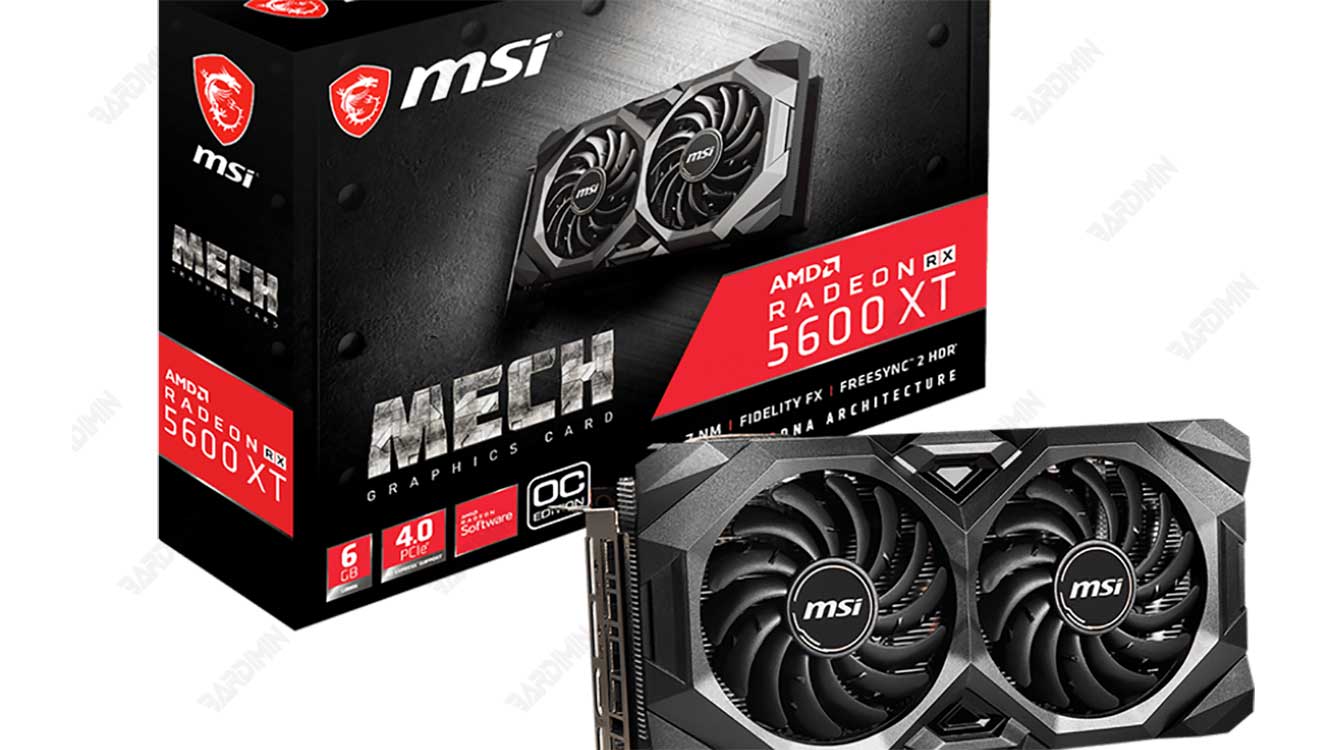
6. AMD Radeon RX 5600 XT
The AMD Radeon RX 5600 XT is the best GPU for the i7-9700k if you’re looking for the cheapest, most power-efficient, and most effective option of all the GPUs Bardimin has mentioned. This GPU is one of the best GPUs from AMD, which was launched in 2020. These GPUs use the RDNA architecture, which offers huge improvements in terms of efficiency, speed, and features compared to the previous generation.
This GPU has very good specifications, such as:
- Core clock: 1375 MHz
- Boost clock: 1560 MHz
- Memory: 6 GB GDDR6
- Memory clock: 14 Gbps
- Memory bandwidth: 288 GB/s
- Stream processors: 2304
- TDP: 150 W
- Power connectors: 1 x 8-pin
This GPU also has very interesting features, such as:
- FidelityFX: a technology that can improve image quality by using various effects such as sharpening, denoising, ambient occlusion, and others.
- FreeSync: a technology that can synchronize frame rates between the GPU and monitor to reduce tearing, stuttering, and input lag.
- VR Ready: technology that can support seamless and immersive virtual reality experiences.
This GPU has very good performance and can run almost any game, video, or graphics job with 1080p resolution, 60 FPS frame rate, and high graphics settings. This GPU can also support 1440p resolution, 120 FPS frame rate, and medium graphics settings, with the help of the FidelityFX feature. This GPU can also work well with the i7-9700K, without causing bottlenecking or overheating.
This GPU has very positive reviews, from users, experts, and media. This GPU is praised for the quality, speed, and features it offers, which makes it the best GPU for the lower class. This GPU has also been criticized for its lack of memory capacity and does not support ray tracing.
This GPU is for you if:
- You have a very limited budget to buy a GPU.
- You have very low requirements for graphics performance.
- You have a very low preference for graphic features.
This GPU isn’t for you if:
- You have a huge budget to buy a GPU.
- You have a very high need for graphics performance.
- You have a very high preference for graphic features.
Conclusion
That’s the article Bardimin made about the best GPU for i7-9700k. Bardimin hopes this article can help you find a GPU that suits your needs, budget, and preferences. Bardimin also hopes that this article can provide you with useful and interesting information about GPUs and i7-9700K.
Thank you for reading this article. That’s it and see you in the next article!
