

Portrait photography is the art of capturing a person’s character and emotions in images. It includes a wide range of styles, from formal to more casual ones. Each style can be improved by following basic guidelines, but it still needs flexibility to adapt. These guidelines are flexible and can be adjusted to produce compelling portraits.
Basic techniques in portrait photography are essential because they help photographers create visually and emotionally appealing images. Paying attention to elements such as eyes, shooting angle, lighting, and background can greatly affect the quality of a photo. By understanding these techniques, photographers can ensure that each image has appeal and can tell the story of the subject well.
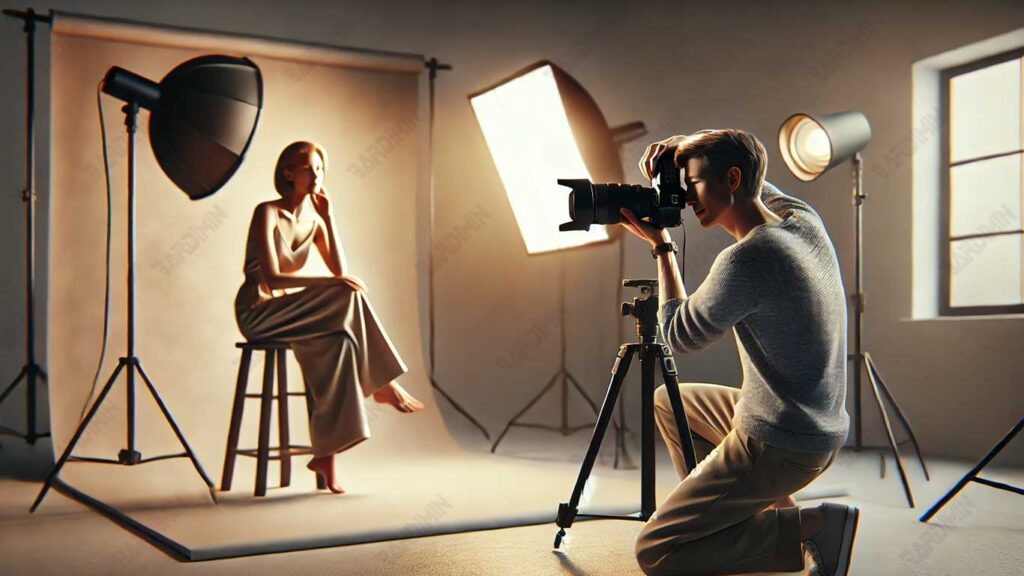
1. Focus on the Eyes: The Key to Quality Portraits
In portrait photography, the eye plays a very important role because it is often the first part that attracts the viewer’s attention. Eye sharpness can provide a deep and emotional impression, making photos seem more vivid and storytelling. Conversely, if the eyes look blurry or out of focus, the overall quality of the photo can be compromised, even if the other elements look good.
Focusing on the eyes is crucial for several reasons. First, the eyes reflect emotions; subjects with clear eyes will find it easier to connect with the audience. Second, the eye is often the main point of attention in portrait composition. Finally, the sharp eye detail reflects the photographer’s skill in managing the camera’s focus well.
How to Keep the Eye in Focus Clear When the Subject Moves
Taking photos of moving subjects, such as children or outdoors, can be challenging. Here are some ways to make sure the focus stays clear:
1. Select the appropriate Autofocus Mode:
Use Continuous Autofocus (AF-C) or AI Servo on a DSLR/mirrorless camera to focus on following the subject’s movements.
2. Increase the shutter speed:
Select a high shutter speed, such as 1/250th of a second or faster, to stop the movement.
3. Take Advantage of Eye Tracking Autofocus:
Many modern cameras have an Eye-Detection Autofocus feature that automatically locks focus on the subject’s eyes, even if the subject is moving.
4. Stabilize the Camera:
If you can, use a tripod or the image stabilization feature to reduce camera shake.
Techniques for Choosing to Focus on Closer Eyes
When the subject is not facing directly at the camera or is at an angle, choosing an eye that is closer to the lens is a good choice. Here’s how to do it:
1. Set the Focus Point Manually:
Manually adjust the focus point to the nearest eye using the viewfinder or the camera’s LCD screen. This ensures focus on the areas that matter most.
2. Choose the Appropriate Depth of Field:
Use a medium to large aperture, such as f/2..8 – f/4, to create a soft background while keeping the eyes clear.
3. Check Camera and Subject Alignment:
Make sure the camera is parallel to the subject’s eyes, especially when using wide-aperture lenses, as the focus space is narrower.
4. Creative Composition Exercises:
Try the rule of thirds, where the subject’s eyes are placed closer to one of the lines or intersections of the grid. This helps to produce more attractive photos.
2. Choose the Right Angle
The angle of the shot is very important in portrait photography because it can affect the way the subject is seen by the viewer. Choosing the right angle can bring out the beauty of the face, create dimension, and enhance the visual appeal of the portrait.
Eye Level: Taking Photos at the Subject’s Eye Level for Natural Results
Taking photos at the level of the subject’s eyes is a very effective basic way of portrait photography.
Photos taken in line with the subject’s eyes give a more personal and natural impression. This allows the viewer to feel directly connected to the subject through gaze.
How to do it?
- Make sure the camera is aligned with the subject’s eyes, especially for close-up or medium shots.
- Use a tripod or stabilizer to keep the camera steady in the desired position.
- If the subject is a child, lower your position so that you can capture the moment from their point of view.
Experiment with a 45-degree angle to produce interesting facial dimensions.
Shooting from a 45-degree angle often results in more dynamic portraits than straight or side angles.
Advantages of 45 Degree Angle:
- Accentuate the subject’s facial structure by showing its natural dimensions.
- Make the face look more proportional, especially if the subject has a certain face shape that you want to emphasize or disguise.
How to try this angle:
- Point the subject to slightly rotate his body so that it is not fully facing the camera.
- Focus on parts of the face that are closer to the camera, such as the eyes and cheekbones.
- Pay attention to the lighting so that the resulting shadows emphasize facial features.
When photographing children, it is important to be at the level of their eyes so that the photo feels more vivid and fun. For example, when taking photos at a birthday party, the photographer must bend over or sit so that the camera is in line with the children’s eyes.
This not only makes the photos more interesting but also helps capture their spontaneous moments and cheerful expressions. In this way, the portrait not only becomes a documentation but also captures the essence of the children’s happiness and cheerfulness.
3. Background Settings
The background in portrait photography is crucial to determining the visual quality of a photo. A good background can make the subject stand out more, while an irregular background can distract and ruin the composition. Therefore, it is important to manage the background to make the portrait photo look more professional.
Choosing a simple and clean background is essential to keep the viewer’s focus on the subject. Irrelevant elements such as cables or conspicuous furniture can distract attention. An overly crowded background can also make the photo look less professional.
To choose the right background, use plain walls, neutral curtains, or natural scenes such as trees. Make sure the background color contrasts with the subject’s outfit to create visual appeal and pay attention to the lighting so that it doesn’t overwhelm the subject.
Using a Large Aperture (f/2.8 – f/5.6) to Create a Bokeh Effect
Using large apertures such as f/2.8 to f/5.6 is an effective way to achieve the bokeh effect, which is a blurry and soft background. This bokeh effect helps to bring out the subject in the following ways:
- With a wide aperture, only the subject is visible, while the background becomes blurred, so it doesn’t distract from the subject’s face or expression.
- The bokeh effect gives the photo visual depth, making the portrait feel more three-dimensional and interesting.
Practical Tips for Accentuating Subjects and Distracting Elements
To make sure the subject is visible and distracting elements are not visible, consider the following tips:
1. Distance between Subject and Background
Make sure the subject is far enough away from the background. This distance helps create a better blur effect.
2. Use the Right Lighting
Make sure the lighting on the subject is brighter than the background. This can be done by adjusting the position of the light source so that the subject gets direct light.
3. Check the Composition
Before shooting, check the overall composition to make sure there are no elements in the background that could distract from the subject. If necessary, change the position of the camera or subject for best results.
4. Overcoming Lighting and Shadows
Good lighting is essential in portrait photography because it can add dimension, bring out facial details, and create an appropriate atmosphere. However, improper lighting can lead to shadows that are too dark, overexposure, or photos that look flat.
Natural vs Artificial Light
Using natural light in portrait photography has many advantages. Natural light, like sunlight, gives the image a warm and soft feel and creates smoother shadows compared to artificial light. Here are some of the advantages of using natural light:
- Natural light is often more varied and can have a dramatic effect on portraits, especially when taken at specific times such as golden hour (an hour after sunrise or before sunset).
- Using natural light reduces the need for additional lighting equipment, making it more practical and efficient.
- Natural light can create a more organic and engaging atmosphere, making portraits feel more lively.
How to Reduce Dark Shadow Around the Eyes
Dark shadows in the eye area can make a person look tired. Here are some ways to overcome it:
1. Use a Reflector
A reflector is a device used to reflect light onto the face, so it can reduce dark areas. For optimal results, place the reflector under your face so that light can be reflected to the eye area and reduce shadows.
2. Use Fill-In Flash
The use of a fill flash can help illuminate dark areas without producing too dazzling light. Be sure to set the flash to low mode so that the resulting light still appears natural. This is especially beneficial when taking photos outdoors with a bright background.
3. Position the Subject
Avoid placing objects in direct sunlight so that shadows under the eyes and nose are not too visible. It’s best to choose a location with soft lighting, such as under a tree or using a diffuser to even out the light.
Tips for Shooting in Direct Sunlight Without Overexposure
Direct sunlight can cause problems such as areas that are too bright or sharp shadows. Here are some tips to overcome this:
1. Use Spot Metering Mode
Focus the camera metering on the subject’s face so that the face exposure remains balanced even if the background is bright.
2. Use a Diffuser or Filter:
Use a diffuser to make direct sunlight softer. Alternatively, you can use an ND filter (Neutral Density) to reduce the amount of light entering the lens without changing the color.
3. Choose the Right Lighting Angle:
Position the subject so that the sunlight hits their face from the side, not from the front or back. This will provide softer lighting and reduce the risk of overexposure.
4. Pay Attention to Camera Settings:
- Use a fast shutter speed (for example, 1/500 or faster) to capture details without overexposure.
- Set the ISO low (around 100) to avoid excessive light sensitivity.
- Choose a small aperture (such as f/8 or f/11) if you want to preserve background details.
5. Take Photos Quickly and Variously
Taking multiple photos in a single shooting session is very useful to avoid stiff expressions on the subject. If the subject has to wait for a long time, they can feel tense, which makes the expression look unnatural. By taking several photos in a row, the subject will be more relaxed and can show a variety of more authentic expressions. This provides an opportunity to capture spontaneous moments that are often more interesting.
“Burst Mode” Technique to Capture Spontaneous Moments
Using burst mode on the camera is an effective way to capture spontaneous moments. In this mode, the camera takes multiple images in a short period with just one press of the shutter button. This is especially beneficial in situations where the subject is moving or when there is a quick interaction, such as:
- When children are playing or laughing, burst mode allows photographers to capture a variety of cheerful expressions in a single session.
- In sporting events or shows, burst mode helps capture the action in more detail, resulting in more vivid images.
Tips for Using Burst Mode:
- Use a high shutter speed (1/250 second or faster) to freeze motion.
- Make sure that the memory card has enough capacity as this mode generates a lot of photo files.
- Try burst mode in spontaneous situations, such as when the subject is laughing or talking.
6. Use Portrait Mode on Camera
The Portrait mode on the camera is made to make it easy to set up when taking portrait photos. When this mode is enabled, the camera automatically sets several important parameters such as aperture, shutter speed, and ISO to produce the best possible images.
- This mode usually chooses a wider aperture (a small f-number) to create a bokeh effect, where the background becomes blurred and the subject is more visible.
- The camera will adjust the shutter speed to be fast enough to freeze the movement, thus avoiding blurry images, especially when the subject is moving.
- Portrait mode also automatically sets the ISO to ensure proper lighting, both in light and dark conditions.
Using this mode, beginner photographers can easily get good results without needing to understand all the manual settings first.
Best Situations to Use Auto Mode vs. Manual Settings
Auto modes, including Portrait Mode, are particularly useful in certain situations where time and speed are important factors. Here are some of the best situations to use auto mode:
1. Social Events or Parties
When shooting at events like birthday parties or weddings, situations often move quickly. Portrait mode allows photographers to capture special moments without having to spend time manually setting the camera.
2. Photograph Children
Children tend to be active and unpredictable. Using auto mode helps photographers capture their natural expressions without having to wait too long.
3. Changing Lighting Conditions
In outdoor situations with changing lighting (for example, when clouds are moving), the automatic mode can help quickly adjust camera settings to keep results optimal.
4. When Time is Limited
If you have limited time to take photos (for example, during a short photo session), Portrait mode allows you to start shooting immediately without missing out on precious moments.
