

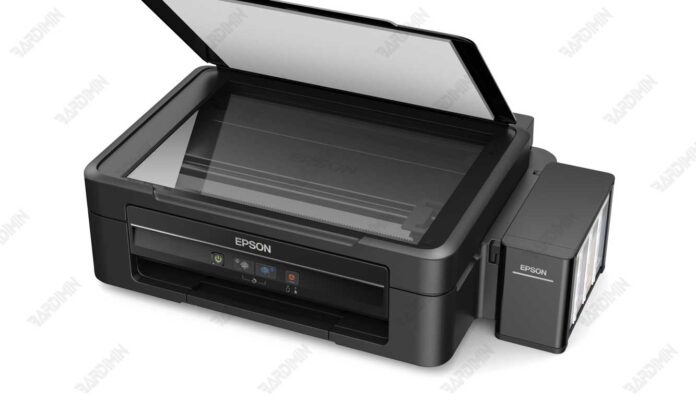
This definitive guide provides the download for the Epson Adjustment Program for L380, L383, L385, and L485 printers. It covers resetting the waste ink and ECC counters, fixing common errors, and restoring printer function with detailed instructions for technicians and advanced users.
Understanding the Epson L380 L383 L385 L485 Adjustment Program
The Epson Adjustment Program for L380, L383, L385, and L485 is a specialized service utility. Its core function is to reset the waste ink pad counter and the ECC (Error Correction Code) chip. When these counters reach their limit, printers display errors like blinking lights or false "ink empty" warnings. This program directly addresses these issues, restoring the printer to a ready state.
Core Technical Functions and Uses
This adjustment program executes several vital maintenance operations. Consequently, it is indispensable for resolving complex printer malfunctions.
- Waste Ink Counter Reset: Clears the internal counter that triggers "service required" errors due to a full waste ink pad.
- ECC (Chip) Reset: Resets the ink level monitoring chip to solve persistent "ink empty" errors despite full tanks.
- Printer Diagnostics: Reads error logs, checks nozzle status, and performs deep cleaning cycles.
- Model Compatibility: Specifically designed for Epson L380, L383, L385, and L485 models.
- System Support: Compatible with Windows 10 and 11 (64-bit), as well as earlier Windows versions.
Download and Setup Procedure
To initiate the Download Epson Adjustment Program L380 L383 L385 L485, use the verified link below. The utility is distributed in a protected archive.
Download File: Epson L380 L383 L385 L485 (ECC).rar
Archive Extraction Password
This password is required to extract the RAR file contents.
Step-by-Step Operational Guide
- Firstly, temporarily disable any real-time antivirus protection to allow the file extraction and execution.
- Next, extract the downloaded RAR file using a reliable archiver like 7-Zip or WinRAR.
- Then, right-click the main application file (e.g., AdjProg.exe) and select "Run as administrator".
- After that, connect your Epson printer (L380/L383/L385/L485) to the computer with a USB cable and power it on.
- Finally, navigate the software interface carefully to execute the required reset functions.
Critical Safety and Maintenance Protocol
Employing this software demands strict adherence to safety protocols. Follow these guidelines to ensure a successful and risk-free procedure.
- Physically inspect and service the waste ink pad before a software counter reset to prevent internal leaks and damage.
- Ensure the printer remains powered on and stable throughout the entire communication process with the software.
- This tool is model-specific. Do not attempt to use it on incompatible Epson printer series.
- After performing an ECC reset, you may need to reinitialize the ink system through the printer's own maintenance menu.
- Always re-enable your antivirus software after completing the maintenance tasks.
In summary, the Epson Adjustment Program for L380, L383, L385, and L485 is a powerful, multi-function tool for advanced printer maintenance. By following this technical guide, you can effectively download and use it to resolve critical counter and chip-related errors.
By downloading files from bardimin.com, you agree that:
- Files are obtained from the internet, and copyrights remain with their respective owners.
- Files are for educational, reference, and personal use only.
- bardimin.com does not guarantee that files are free from viruses or malware.
- Any risks, damages, or legal claims arising from the use of files are the sole responsibility of the user.
- bardimin.com is released from any and all claims or liabilities.
If you do not agree, please do not download the file.
