

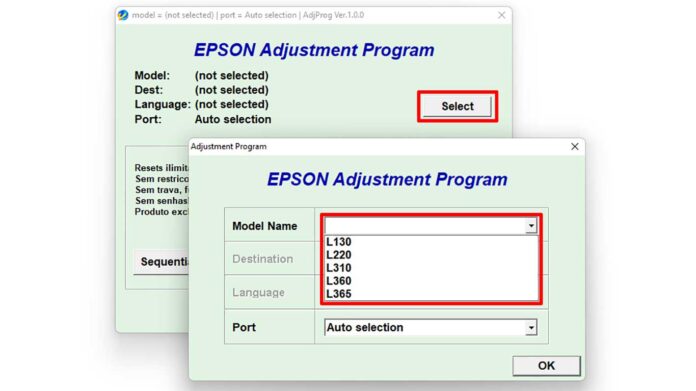
This guide provides the official Epson L120 Adjustment Program download for resetting the printer's waste ink counter and solving critical errors. Furthermore, it details the software's functions, key features, and safe usage instructions for technicians and advanced users.
What is the Epson L120 Adjustment Program?
The Epson Adjustment Program L120, often called a resetter, is an official utility. Epson designed this tool to reset the printer's internal counters. Consequently, it resolves errors like "Service Required" or "The printer's ink pad is at the end of its service life." These messages appear after extensive use. Therefore, the Epson L120 Resetter restores normal printer function without a service center visit.
Core Functions of the Resetter Software
This specialized software performs several crucial tasks. Primarily, it addresses the root cause of common printer lockouts.
- Waste Ink Counter Reset: This function clears the ink absorber pad counter. As a result, it removes the "Ink Pad Full" error message.
- Protection Counter Reset: The tool resets the printer's protection counter. This action unlocks the device after it reaches a predefined print limit.
- EEPROM Operations: Users can check and initialize the printer's EEPROM memory. Thus, it helps correct internal data corruption.
- Maintenance Utilities: The program supports print head cleaning and nozzle checks. These features aid in solving print quality issues.
Software Specifications and Features
The adjustment tool is lightweight and designed for practicality. Its design prioritizes straightforward operation for professionals.
- User-Friendly Interface: The layout is simple and logical. Even new technicians can navigate it quickly.
- Offline Operation: The software works completely offline. No internet connection is required for its core functions.
- System Compatibility: It runs on most Windows operating systems. This includes Windows 7, 8, 10, and 11 (using compatibility mode if needed).
- Non-Invasive Tool: The utility does not flash or modify the printer's firmware. It only resets counters and performs allowed maintenance.
Important Download and Usage Notes
Please follow these points to ensure correct and responsible use of the tool. This software is intended for knowledgeable users.
- The software package is compressed in a .RAR archive format. You need a tool like WinRAR or 7-Zip to extract it.
- Always ensure your Epson L120 printer is connected to the computer and powered on before starting the program.
- Run the software as an administrator. This grants the necessary permissions to communicate with the printer.
- Use the tool only when necessary. Frequent resets without physically servicing the waste ink pad can cause damage.
How to Download the Epson L120 Adjustment Program
You can download the official reset package directly using the link below. The file is sourced from trusted technical repositories.
Download File: Resetter_EPSON_L120.rar
After downloading, you must extract the archive using the password provided in the box below.
Disclaimer and Best Practices
This guide is for educational and technical support purposes. The Epson Adjustment Program L120 is intended for resetting the waste ink counter. It is not a substitute for physical maintenance. If the waste ink absorber is saturated, it must be replaced or emptied to prevent leaks and damage. For official support, refer to the Epson website. Always use such tools responsibly and at your own discretion.
By downloading files from bardimin.com, you agree that:
- Files are obtained from the internet, and copyrights remain with their respective owners.
- Files are for educational, reference, and personal use only.
- bardimin.com does not guarantee that files are free from viruses or malware.
- Any risks, damages, or legal claims arising from the use of files are the sole responsibility of the user.
- bardimin.com is released from any and all claims or liabilities.
If you do not agree, please do not download the file.
