

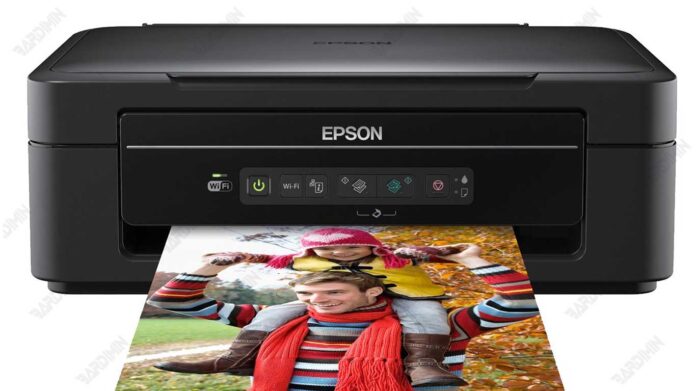
The Epson XP-211, XP-214, and XP-411 Adjustment Program is essential firmware maintenance software designed for professional technicians and advanced users. This guide provides updated information on its key functions for resetting waste ink counters, performing printhead adjustments, and resolving critical errors to restore printer functionality.
Understanding the Epson XP-211 XP-214 XP-411 Adjustment Program
This specialized utility, often termed a "reset program" or "service tool," interacts directly with the printer's firmware. Consequently, it is designed to perform deep-level maintenance tasks that standard software cannot access. Technicians primarily use it to reset the internal protection counters, such as the waste ink pad counter, which triggers a "Service Required" or "Parts Life" error.
Moreover, the tool facilitates crucial printhead servicing. It allows for precise alignment, comprehensive nozzle checks, and powerful cleaning cycles. Therefore, it is invaluable for solving print quality issues like banding, streaks, or misaligned colors. Additionally, it can reset the EEPROM to restore factory-level settings.
Important Disclaimer: This adjustment software is intended for use by qualified technicians or individuals who fully understand the risks. Improper use can permanently damage your printer's hardware or firmware. Always consult the official Epson manual or support resources first. For official diagnostics, visit the Epson Support website.
Core Functions and Key Features
The Epson XP-211 XP-214 XP-411 Adjustment Program encompasses several critical maintenance operations:
- Waste Ink Counter Reset: This is the primary function. The printer tracks ink absorbed by a maintenance pad. Once a threshold is reached, it locks the printer. This program resets that counter.
- Printhead Alignment & Calibration: It runs patterns to adjust the printhead alignment for perfectly straight lines and accurate color registration.
- Nozzle Check and Intensive Cleaning: It performs diagnostic checks for clogged nozzles and initiates deep cleaning cycles to restore ink flow.
- Ink Level Monitoring/Reset: The tool can read chip data and, in some cases, reset cartridge status information.
- EEPROM Initialization: Resets various printer settings and logged data back to the factory default state.
For the latest compatibility notes, the software typically operates on 32-bit and 64-bit versions of Windows 7, 8, 10, and 11. However, running it in Administrator mode and disabling antivirus software temporarily may be required.
Download and Usage Instructions
The adjustment program file is distributed in an archived format. Please follow these general steps carefully:
- Ensure your Epson XP-211, XP-214, or XP-411 printer is connected to your computer and powered on.
- Download the required software package. The file you need is named:
Reset Epson XP-211 XP-214 XP-411 (ECC).rar - Extract the contents of the RAR archive using a tool like WinRAR or 7-Zip.
- Run the main executable file (often named Adjustment Program.exe or similar) as an Administrator.
- Select the correct port and model to establish communication with your printer.
- Navigate through the menu to select the specific function you wish to perform (e.g., Waste Ink Counter Reset).
- Execute the function and allow the process to complete without interruption.
- Finally, power cycle your printer (turn it off and on) for the changes to take full effect.
Critical Security and Legal Note
This software modifies the printer's internal firmware counters. Using it may void your printer's warranty. Epson does not officially distribute or endorse this third-party utility for consumer use. It is a service tool for repair professionals. Always consider having the printer serviced at an authorized center first. For reference on official maintenance procedures, you can review public documentation from Epson's knowledge base.
⚠️ File Download Information ⚠️
The downloaded file "Reset Epson XP-211 XP-214 XP-411 (ECC).rar" is PASSWORD-PROTECTED.
mincom
You must enter this password to extract and use the adjustment program files.
By downloading files from bardimin.com, you agree that:
- Files are obtained from the internet, and copyrights remain with their respective owners.
- Files are for educational, reference, and personal use only.
- bardimin.com does not guarantee that files are free from viruses or malware.
- Any risks, damages, or legal claims arising from the use of files are the sole responsibility of the user.
- bardimin.com is released from any and all claims or liabilities.
If you do not agree, please do not download the file.
