

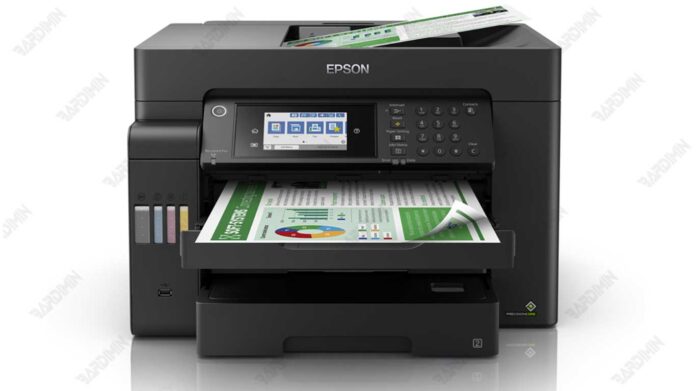
This technical guide provides the official Epson L15160_L15180 Adjustment Program download for professional technicians and advanced users. It details the tool's core functions for resetting waste ink counters, performing printer diagnostics, and executing critical maintenance on compatible Epson L-series models.
Epson L15160_L15180 Adjustment Program: Official Service Tool
The Epson L15160_L15180 Adjustment Program is an essential service utility for resolving hardware errors and performing maintenance. Specifically, it addresses the common waste ink pad full error that causes the printer to stop functioning. Consequently, this tool allows users to reset the counter and restore printer operation without expensive service calls.
This software offers deep-level access to the printer's system for calibration and troubleshooting. Therefore, it is intended for users with technical knowledge. Moreover, it includes functions for print head alignment, nozzle checking, and EEPROM initialization.
Core Functions and Features
The adjustment program provides a suite of specialized tools. Its primary purpose is to reset the waste ink pad counter. Additionally, it performs several other critical maintenance tasks.
- Waste Ink Counter Reset: This is the main solution for clearing full error messages and blinking lights.
- Print Head Cleaning & Nozzle Check: This function solves issues with print quality, streaks, or missing colors.
- EEPROM Initialization: This feature restores the printer's internal settings to their factory default state.
- Mechanical Alignment (PF & CR): This calibrates paper feed and carriage movement for precise printing.
- Printer Detection & Diagnostics: The software identifies the connected model and reads error history logs.
Technical Specifications and Compatibility
The program is designed for the Epson L1500 series. It is fully compatible with the L15160 and L15180 models. The interface, while technical, is structured for logical navigation.
For optimal results, use the program on a Windows-based PC. Always connect the printer to the computer via a USB cable during operation. Furthermore, follow on-screen instructions carefully to avoid unintended printer damage.
Important Security Note: This adjustment software is a powerful tool. Use it at your own risk and only if you understand the procedures. Incorrect usage can permanently damage your printer.
Download Instructions and File Details
The adjustment program is distributed in a compressed archive for security. The download file is named RESET EPSON L15160_L15180.rar.
File Password: min
After extracting the archive with the provided password, run the executable file as an administrator. Ensure your antivirus software is temporarily disabled if it falsely flags the service tool.
For official driver downloads and hardware manuals, visit the Epson support website.
In summary, the Epson L15160_L15180 Adjustment Program download is a professional-grade solution. It empowers technicians to efficiently manage printer maintenance, reset counters, and resolve complex errors. Ultimately, this tool can significantly reduce downtime and repair costs for these high-capacity ink tank models.
By downloading files from bardimin.com, you agree that:
- Files are obtained from the internet, and copyrights remain with their respective owners.
- Files are for educational, reference, and personal use only.
- bardimin.com does not guarantee that files are free from viruses or malware.
- Any risks, damages, or legal claims arising from the use of files are the sole responsibility of the user.
- bardimin.com is released from any and all claims or liabilities.
If you do not agree, please do not download the file.
